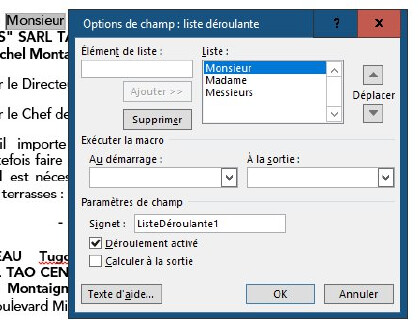
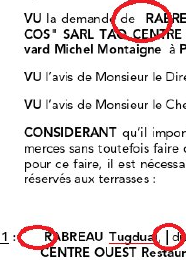
Fields have been created in a .docx Word document (dropdown lists), but when opening it with OnlyOffice, they completely disappear, leaving empty spaces.
Hey @antoine1, 
Thanks for reporting the issue! Thank you for the details. Could you please share the file where this issue occurs so we can reproduce it? You can upload it here or send it to me via private message if it contains sensitive data. 
Hi @Nikolas,
Yes, I’d prefer to send the original document through private message (it’s sensitive information). Can you let me know how to do it ?
Thanks
@antoine1
You can click on my profile and write a message
Hey @antoine1,
Thanks for sharing the details and files!
Currently, ONLYOFFICE Document Editor doesn’t support FORMDROPDOWN fields, which is why they disappear.
I’ll change this topic’s category to “suggestion” and log your request to add support for these fields in our editor.
I’ll keep you posted on any updates. Appreciate your input!
Thanks a lot @Nikolas, I really appreciate 
1 Like