Hi,
I’m really enjoying my experience with OnlyOffice (I’m a Linux user)
I have a couple of suggestions yet:
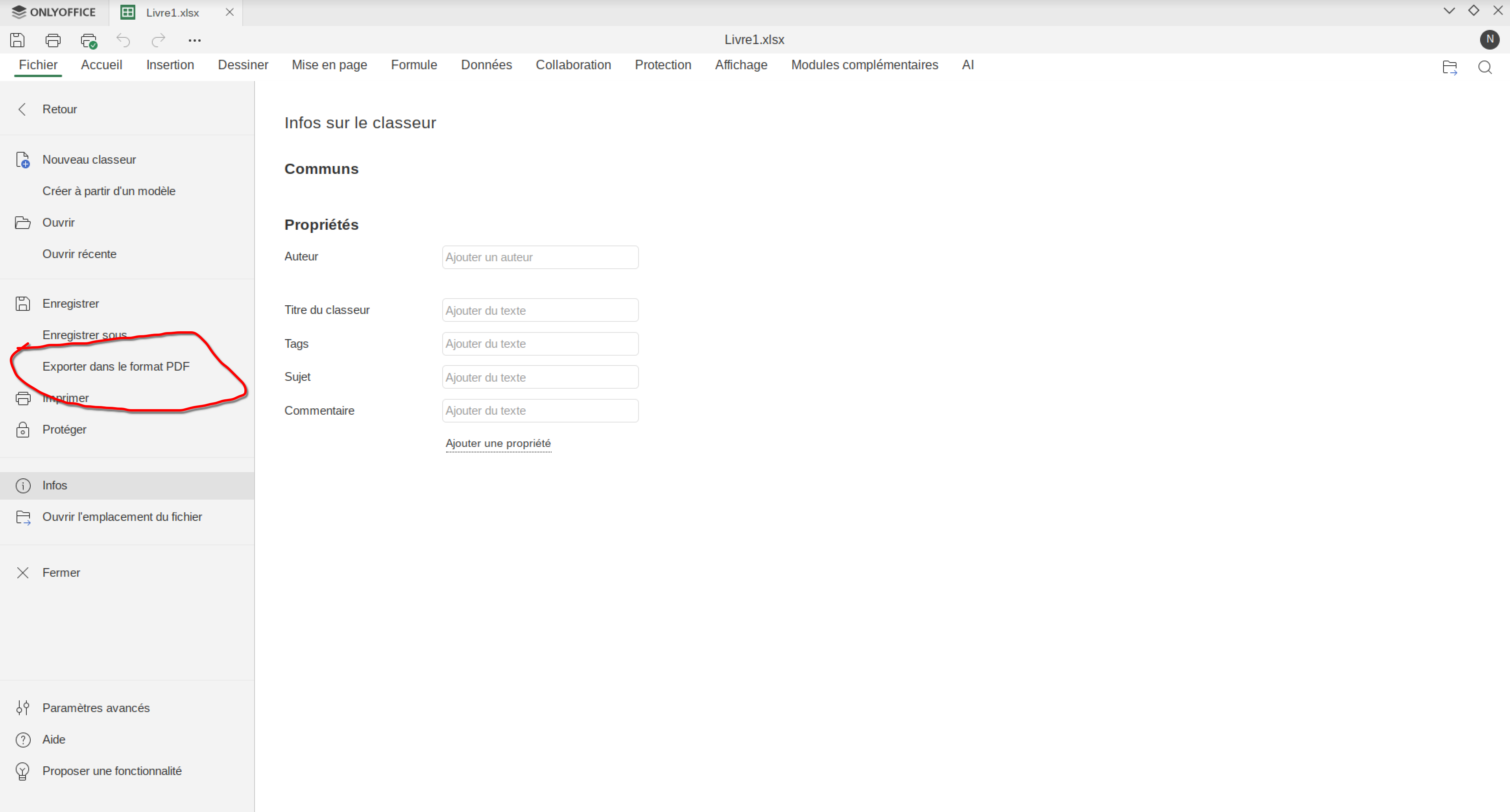
- I wish there was a fastest way to export/save a doc file as a pdf (I know I can go to the “file” tab, then “save as” and finally “save as PDF”).
Why not include a “save as PDF” on the left of the “file” menu, as in the spredsheet edito for example?
Or a “export as pdf” button on the tool bar?
- I can’t seem to be able to select multiple text (for exemple 2 lines of a paragraph and one line of another). Maybe there is a way I haven’t find? In most of text editors it can be done using Ctrl+ selctiong the lines.
Anyway, thanks for this amazing piece of software!
Hello @Atertus_Coveni
The CTRL + select is known situation, we’re working to implement this feature already.
As for the ‘save as PDF’:
Why not include a “save as PDF” on the left of the “file” menu, as in the spredsheet edito for example?
I’m a little bit confused. Could you please make a screenshot of your spreadsheet editor? I can’t find the described button position there.
Thank you for your answer.
Here is a screenshot of my spreedsheet editor with the “export as pdf” option:
Ah, the desktop app. Do I understand it right that your suggestion is related to Desktop app only, or to the self-hosted Document Server as well?
Yes, yes, m’y question is only for the desktop app (Linux).
Sorry, I should have mentioned that.
Thank you!
We’re discussing your suggestion. I will contact you as soon as possible.
Hello @Atertus_Coveni
We have added your request to internal tracksystem, we have started working on it.
Thank you for your idea!
1 Like