ONLYOFFICE Mobile: Documents
Do you want to: Report a bug
For bug reports, provide the steps to reproduce and if possible a minimal demo of the problem.
Device: Realme 9 5G Speed Edition
OS version: Android 13
App version: 9.0.4
Mode: Connect to Cloud
Additional information:
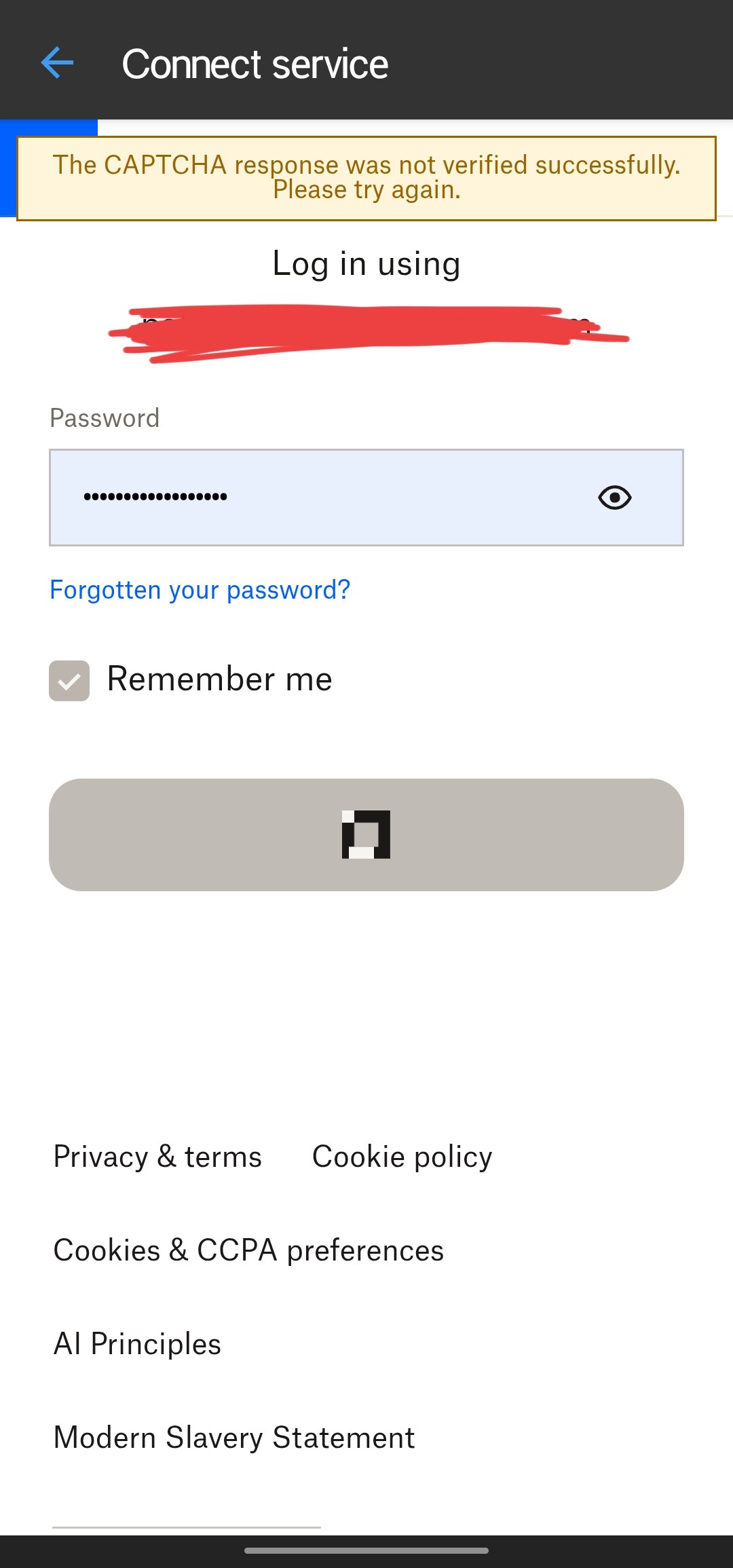
Hello, @NeeL21YT
Hello!
Thank you for reporting this issue.
Could you please explain the problem in more detail?
From your screenshot, we can see a CAPTCHA verification error, but we need more context to help you. We attempted to reproduce the issue by connecting to Dropbox on our test devices, and the connection was successful without any CAPTCHA errors.
I am seeing exactly the same problem in October 2026.
Device: Samsung Galaxy S10
OS: Android 12
App: ONLYOFFICE Documents for Android
Mode: Clouds → Dropbox
When I try to connect Dropbox, the human verification/CAPTCHA completes successfully and confirms that I am human. Immediately afterwards, ONLYOFFICE displays:
“The CAPTCHA response was not verified successfully. Please try again.”
I have tried this about five times, including using the audio CAPTCHA, with the same result.
I have also:
updated ONLYOFFICE and Chrome
cleared the ONLYOFFICE cache
cleared the Android System WebView cache
retried the Dropbox connection
The problem remains.
Dropbox itself works correctly. I can open a Dropbox document using Dropbox → Open with → ONLYOFFICE and edit it successfully. The problem appears to be specifically the Dropbox account connection/login from inside ONLYOFFICE.
I have the same screenshot as the previous post, so I won’t post another screen shot.
Hi @smartarseev, welcome to the community!
Thanks for the report — we’re checking this on our side. We’ll update the thread once there’s progress.