I just installed a fresh version of OnlyOffice Workspace Community-Edition on a Debian 12(.9) virtual machine.
I used the docker option for running all services.
So, the installation works fine without any errors.
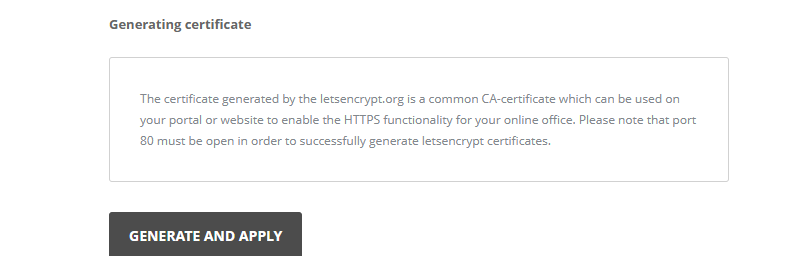
But if I try to install a certificate I get an error:
Hello @OliKaa
Please reproduce the situation and record a video file. Once the situation is reproduced, please collect entire Community server and Control Panel logs folders. They’re located here:
/app/onlyoffice/CommunityServer/logs/
/app/onlyoffice/ControlPanel/logs/
Also please go to the host and show us the docker ps command output result.
One more thing. Is it possible to check whether LE certificate works correctly? This way we will check whether the issue is related to your own certificates or to HTTPS enablement in general. We need this additional information since on the test servers I haven’t faced issues with HTTPS enabling.
lsb_release -a
No LSB modules are available.
Distributor ID:	Ubuntu
Description:	Ubuntu 24.04.4 LTS
Release:	24.04
Codename:	noble
/app/onlyoffice/ControlPanel/logs
2026-03-05 14:58:16 - info: Express server listening on port 80
2026-03-05 15:09:14 - error: executeOneClickinstallScript stderr
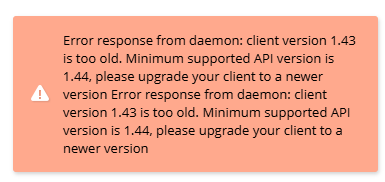
2026-03-05 15:09:14 - error: Error response from daemon: client version 1.43 is too old. Minimum supported API version is 1.44, please upgrade your client to a newer version
Error response from daemon: client version 1.43 is too old. Minimum supported API version is 1.44, please upgrade your client to a newer version

2026-03-05 15:19:25 - info: settings/ldap/status
2026-03-05 15:20:01 - error: executeOneClickinstallScript stderr
2026-03-05 15:20:01 - error: Error response from daemon: client version 1.43 is too old. Minimum supported API version is 1.44, please upgrade your client to a newer version

2026-03-05 15:20:01 - error: executeOneClickinstallScript stderr
2026-03-05 15:20:01 - error: Error response from daemon: client version 1.43 is too old. Minimum supported API version is 1.44, please upgrade your client to a newer version

2026-03-05 15:20:01 - error: executeOneClickinstallScript stderr
2026-03-05 15:20:01 - error: Error response from daemon: client version 1.43 is too old. Minimum supported API version is 1.44, please upgrade your client to a newer version

2026-03-05 15:20:01 - error: executeOneClickinstallScript stderr
2026-03-05 15:20:01 - error: Error response from daemon: client version 1.43 is too old. Minimum supported API version is 1.44, please upgrade your client to a newer version
docker ps
CONTAINER ID   IMAGE                                    COMMAND                  CREATED          STATUS          PORTS                                                                                                                                                                                        NAMES
55516d39155e   onlyoffice/communityserver:12.7.1.1942   "/app/run-community-…"   37 minutes ago   Up 37 minutes   0.0.0.0:80->80/tcp, [::]:80->80/tcp, 0.0.0.0:443->443/tcp, [::]:443->443/tcp, 3306/tcp, 5280/tcp, 9865-9866/tcp, 9871/tcp, 9882/tcp, 0.0.0.0:5222->5222/tcp, [::]:5222->5222/tcp, 9888/tcp   onlyoffice-community-server
9d06b8b8c376   onlyoffice/controlpanel:3.5.4.541        "/var/www/onlyoffice…"   39 minutes ago   Up 39 minutes   80/tcp, 443/tcp                                                                                                                                                                              onlyoffice-control-panel
470ad2f5a731   onlyoffice/documentserver-ee:9.3.1.2     "/app/ds/run-documen…"   39 minutes ago   Up 39 minutes   80/tcp, 443/tcp                                                                                                                                                                              onlyoffice-document-server
b15b89641758   onlyoffice/elasticsearch:7.16.3          "/bin/tini -- /usr/l…"   41 minutes ago   Up 41 minutes   9200/tcp, 9300/tcp                                                                                                                                                                           onlyoffice-elasticsearch
73fc32e31f59   mysql:8.0.29                             "docker-entrypoint.s…"   41 minutes ago   Up 36 minutes   3306/tcp, 33060/tcp                                                                                                                                                                          onlyoffice-mysql-server
Which log file from the /CommunityServer/logs/ folder do you need?
app/onlyoffice/CommunityServer/logs# ls
Index  nginx.access.log            nginx.apisystem.error.log  onlyofficeApiSystem.log  web.api.log             web.log                 web.sql.log        web.thumbnails.log.03-05    web.webdav.log.03-05
mail   nginx.apisystem.access.log  nginx.error.log            onlyoffice.log           web.api-system.sql.log  web.socketio.log.03-05  web.sso.03-05.log  web.urlshortener.log.03-05
This is a new clean installation. I just installed Ubuntu 24.04 and installed OnlyOffice on it using the auto-installation script. I even tried updating:
bash workspace-enterprise-install.sh --update true
Select 'Y' to install ONLYOFFICE using Docker (recommended). Select 'N' to install it using RPM/DEB packages.
Please note, that in case you select RPM/DEB installation, 'HTTPS' and 'Update' sections will be absent from the Control Panel.
You will also need to manually install Mail Server and connect it to your ONLYOFFICE installation.
See instructions in our Help Center: http://helpcenter.onlyoffice.com/server/docker/mail/connect-mail-server-to-community-server-via-portal-settings.aspx
Install with Docker [Y/N/C]? y
ONLYOFFICE MYSQL SERVER is already installed.
73fc32e31f5938aab6a1ad2e8bf3ec68531e27eddc9deb2c2cef64bf87de08a9
The latest version of ELASTICSEARCH is already installed.
b15b89641758584111b0c329a5932491c8078585e53a98f071af12fb5e1cecee
The latest version of ONLYOFFICE DOCUMENT SERVER is already installed.
470ad2f5a7314adf6f9a9c9ed4f045cf590154eac764e276b19935c366b3bd23
The latest version of ONLYOFFICE CONTROL PANEL is already installed.
9d06b8b8c37626e3e038e563024602cc0641f8203e7e72eca45b4526c5e26032
The latest version of ONLYOFFICE COMMUNITY SERVER is already installed.
55516d39155e2191e6e680ef9fe5490a78da754d1027f8564c26145672a61394

Thank you for installing ONLYOFFICE.
You can now configure your portal and add Mail Server to your installation (in case you skipped it earlier) using the Control Panel
In case you have any questions contact us via http://support.onlyoffice.com or visit our forum at http://forum.onlyoffice.com
Hello @AlexT
Sorry for the late reply.
We need entire logs folders once the issue is reproduced: /app/onlyoffice/CommunityServer/logs/ /app/onlyoffice/ControlPanel/logs/
However, there’s an error entry you have already provided: error: Error response from daemon: client version 1.43 is too old. Minimum supported API version is 1.44, please upgrade your client to a newer version
I assume we can start from here. I’ve found a similar case described here: https://stackoverflow.com/questions/79817033/sudden-docker-error-about-client-api-version
Please prepare entire server snapshot\backup and try to update the docker client: docker version > apt update > apt install docker-ce docker-ce-cli containerd.io
After that, please re-check the situation. If it doesn’t help, please provide us with logs.