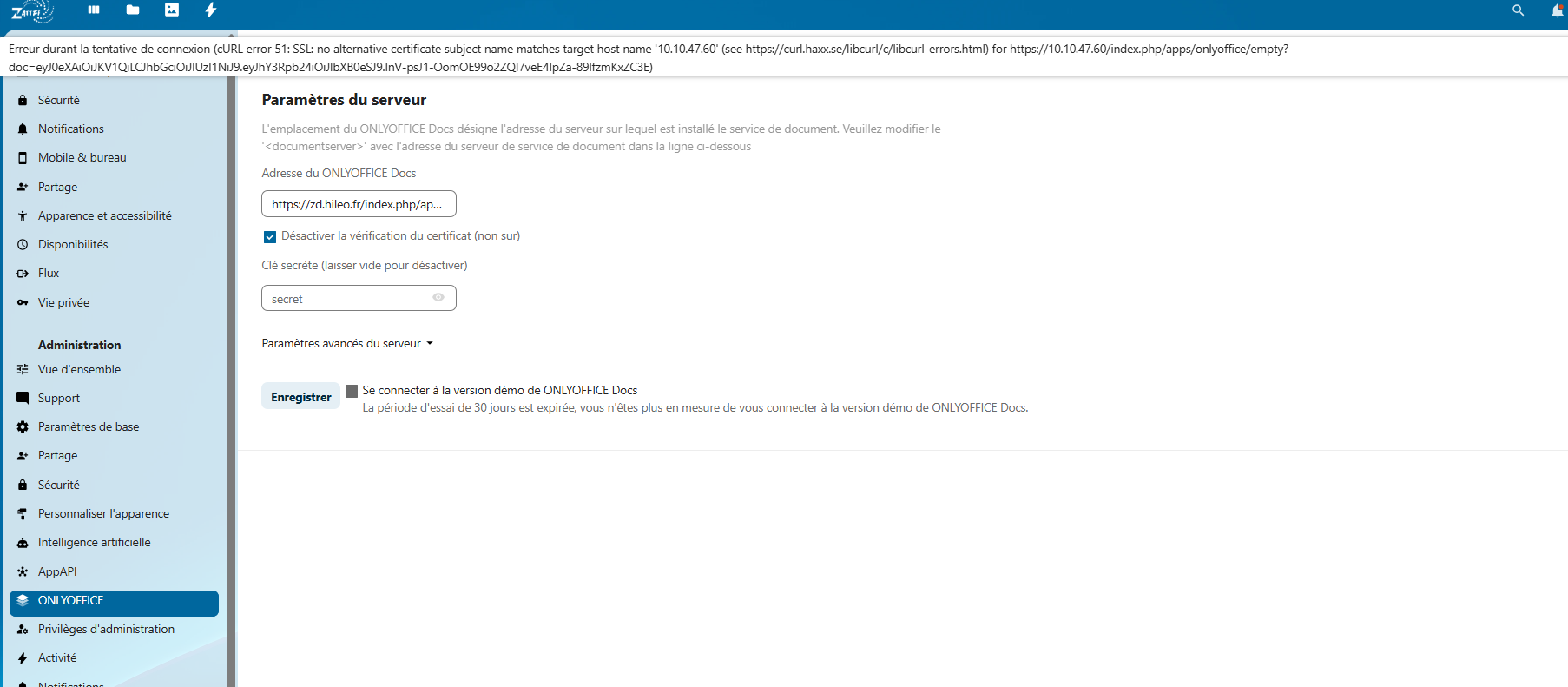
Hello, all days, i have a message " ONLYOFFICE Document Server is unavailable"
I have to go to the admin interface to reactivate OnlyOffice.
I am on a Nextcloud Ubuntu 24.04 server.
Version: OnlyOffice: 9.10.0
Nextcloud version: 31.0.8
Thank you in advance.
Hello @TechniqueHileo, 
To help us investigate further, could you please clarify the following:
- The version of ONLYOFFICE Docs you’re using (it seems 9.10.0 refers to the connector; we need the Document Server version).
- How ONLYOFFICE Docs is installed (e.g., Docker, .deb package).
- When the issue started occurring (e.g., after an update, configuration change, or other actions).
- If possible, a short video or screenshots showing the issue and the steps leading to it.
This will help us reproduce the problem and find a solution. Thank you for your time, and I’ll follow up with updates!
Hi Nikolas, thanks for reply.
Here are the details you requested:
- ONLYOFFICE Docs version: The Document Server is installed via the Nextcloud apps interface. However, it sometimes becomes unavailable, triggering the email “ONLYOFFICE Document Server is unavailable.”
- Installation method: Ubuntu 24.04 with Nextcloud installed via snap. ONLYOFFICE connector is enabled in Nextcloud.
- Nextcloud version: 31.0.8 (snap)
- ONLYOFFICE connector version: 9.10.0
- When the issue occurs: Intermittently, the Document Server stops responding, even though it was working after installation.
We need guidance on troubleshooting the temporary unavailability of the Document Server.
i try to make video
Thank you!
1 Like
Hello @TechniqueHileo,
Thank you for details! We’re waiting for the video you mentioned 
I just received an email saying “ONLYOFFICE Document Server is unavailable” and when I access the administration interface, my OnlyOffice configuration no longer exists. I have to click “Save” for it to work again (see video).
Hey @TechniqueHileo,
Thanks for sharing the video! I’ve got a hunch that this post might shed some light on what’s going on with your setup: Problems with saving data, how to prevent data loss.
Could you check it out and see if the suggestions there help?
I also discovered that the service stopped every day at 12:25 p.m. That’s very strange.
Hey @TechniqueHileo,
Noticed the service stops daily at 12:25 p.m. — odd! You’re using an outdated Document Server (v7.2.2; latest is 9.0.4). I suggest installing ONLYOFFICE Document Server 9.0.4 via Docker and updating the Nextcloud connector.
I had the exact same problem and my overwrite.cli.url in Nextcloud config.php was wrong (should be the main nextcloud url).
The link between Nextcloud and OnlyOffice Document Server was fine until a CLI check was made. I could break the connection by running:
occ onlyoffice:documentserver --check
Error while downloading the document file to be converted.
I guess this check is silently made by the Nextcloud cron at regular intervals, which could explain why it also happened at specific times.
[/quote]
1 Like
Hello, thanks,
je confirm to you that it’s URL of NEXTCLOUD
‘overwrite.cli.url’ => ‘http://10.XX.XX.60’,
this command doesn’t work
admhileo@pXXXXXXXud:~$ occ onlyoffice:documentserver --check Command ‘occ’ not found, but there are 22 similar ones.