I’m using a community document server and develop a vue project and nextcloud to create an file-browser-client which can open files with onlyoffice (pdf, docx, …)
Generally I can select a file in my filebrowser, I dynamic create a config for onlyoffice, and the file opens.
Then, I close the editor and click on another file - and I’ve got an error:
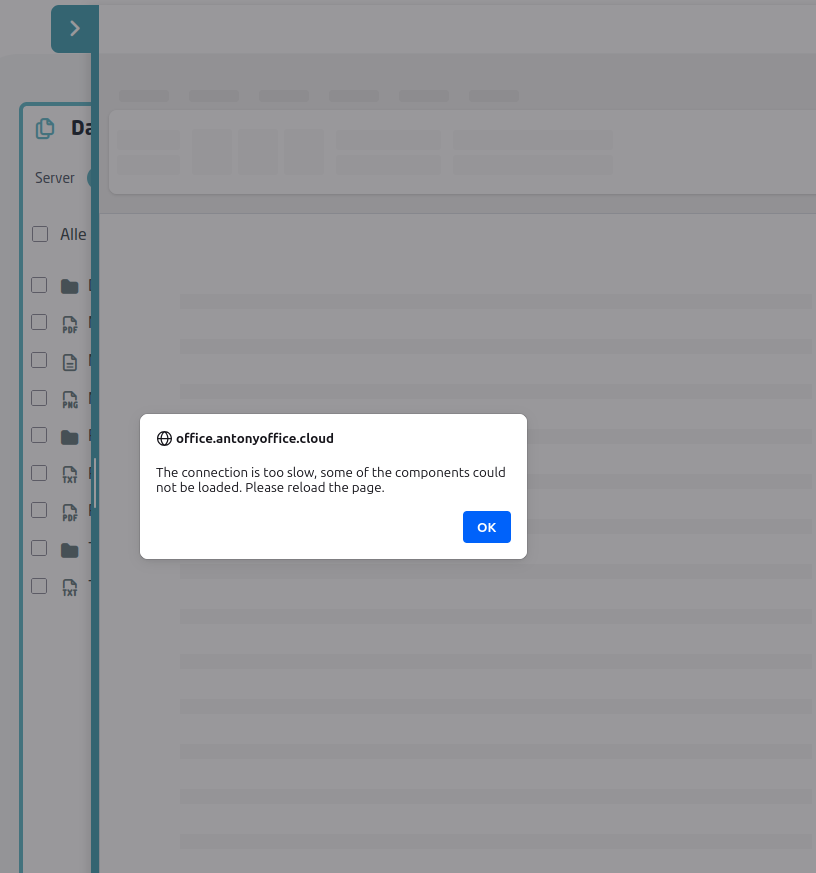
If I close the editor again and select the first file - everything is ok.
If I reload my app I can open every file correctly, but closing and opening another file will give the error again.
Summary: After loading my app I can open one random document. After closing I cannot open any other document.
DocumentServer:
Debian Linux Server
Docker 28.5.1
onlyoffice/documentserver:latest (should be 9.1.0-168)
Running on a public subdomain, directly connected to the internet
I cannot find any relevant errors in any server log file.
VueApp with “@onlyoffice/document-editor-vue”: “^1.6.1”
Reduced my code to minimum:
<DocumentEditor
id=“docEditor”
:documentServerUrl=“documentServerUrl”
:config=“config”
@events_onDocumentReady=“onDocumentReady”
@onLoadComponentError=“onLoadComponentError”
/>
A working config-Object:
{
“document”: {
“fileType”: “pdf”,
“key”: “101030559”,
“title”: “Nextcloud Manual.pdf”,
“url”: “/nc/apps/onlyoffice/download?doc=eyJ…shortend”,
“isForm”: false
},
“editorConfig”: {
“lang”: “de”,
“mode”: “edit”,
“region”: “de-DE”,
“callbackUrl”: “/nc/apps/onlyoffice/track?doc=eyJh…shortend”,
“createUrl”: “”,
“user”: {
“id”: “3f82ea64-6b15-43f5-aab6-58e309c64e02”,
“name”: “Admin istrator”
}
},
“type”: “desktop”,
“documentType”: “pdf”,
“token”: “eyJh…shortend”
}
A non-workding config-Object:
{
“document”: {
“fileType”: “pdf”,
“key”: “1240257465”,
“title”: “Reasons to use Nextcloud.pdf”,
“url”: “/nc/apps/onlyoffice/download?doc=ey…shortend”,
“isForm”: false
},
“editorConfig”: {
“lang”: “de”,
“mode”: “edit”,
“region”: “de-DE”,
“callbackUrl”: “/nc/apps/onlyoffice/track?doc=ey…shortend”,
“createUrl”: “”,
“user”: {
“id”: “3f82ea64-6b15-43f5-aab6-58e309c64e02”,
“name”: “Admin istrator”
}
},
“type”: “desktop”,
“documentType”: “pdf”,
“token”: “ey…shortend”
}
If needed I can send you credentials to the app where you can tryout the error by yourself.