Do you want to: Ask a how-to question / Report a bug
Document Server version:
onlyoffice/documentserver:latest
Type of installation of the Document Server:
Docker (via docker-compose), based on the official setup instructions
OS:
Windows 11 (host), Docker Desktop with WSL2 backend. Containers are Ubuntu-based.
Browser version:
Latest Firefox
Additional information:
I’m trying to integrate ONLYOFFICE Document Server with Nextcloud in a local Docker setup. ONLYOFFICE is reverse-proxied through Nginx and is accessible at:
https://192.168.88.110/ds-vpath/
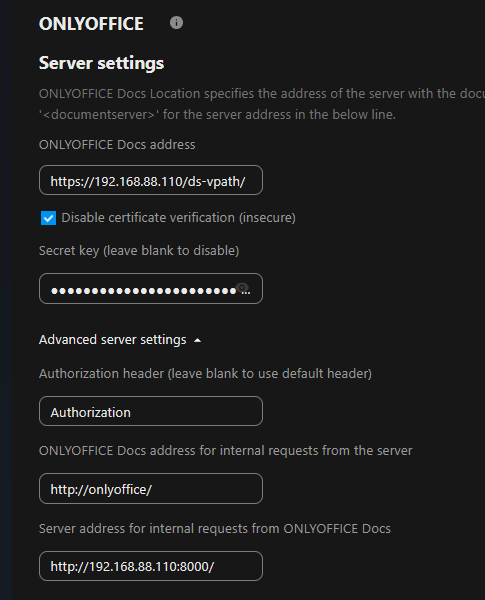
In the Nextcloud integration settings, I configured:
ONLYOFFICE Docs address: https://192.168.88.110/ds-vpath/

“Disable certificate verification” is enabled

The JWT secret matches between Nextcloud and ONLYOFFICE

Internal request URLs are set as follows:

    ONLYOFFICE → Nextcloud: http://192.168.88.110:8000/

    Nextcloud → ONLYOFFICE: http://onlyoffice/
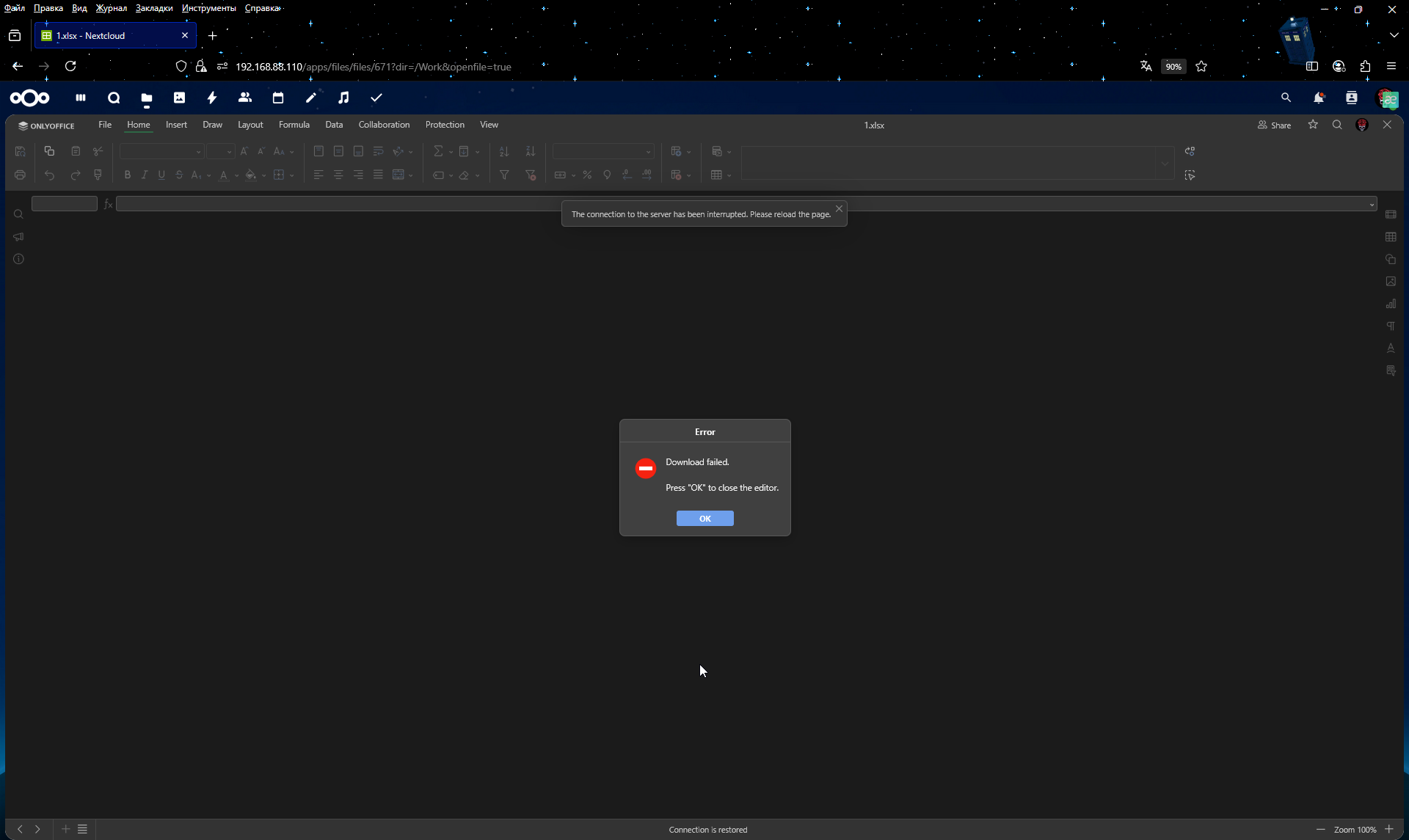
The error I receive when trying to open a document is:
“Download failed. Press OK to return to document list.”
Initially, when the setup used plain HTTP (without certificates), everything worked correctly. The issue started after switching to HTTPS with a self-signed certificate.
I also verified that the certificate’s CN matches the IP (192.168.88.110), and that internal container networking is functional. Nginx is configured to serve both services correctly. A screenshot of my Nextcloud integration settings is attached.
This is running on a local network only, as I plan to access the system via Tailscale in the future without exposing any ports to the public internet.