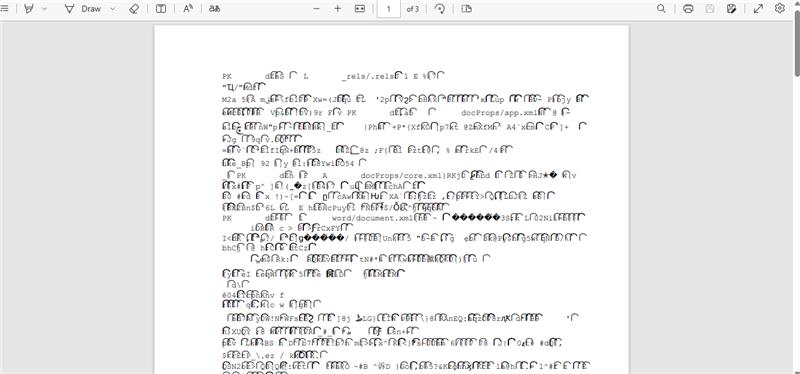
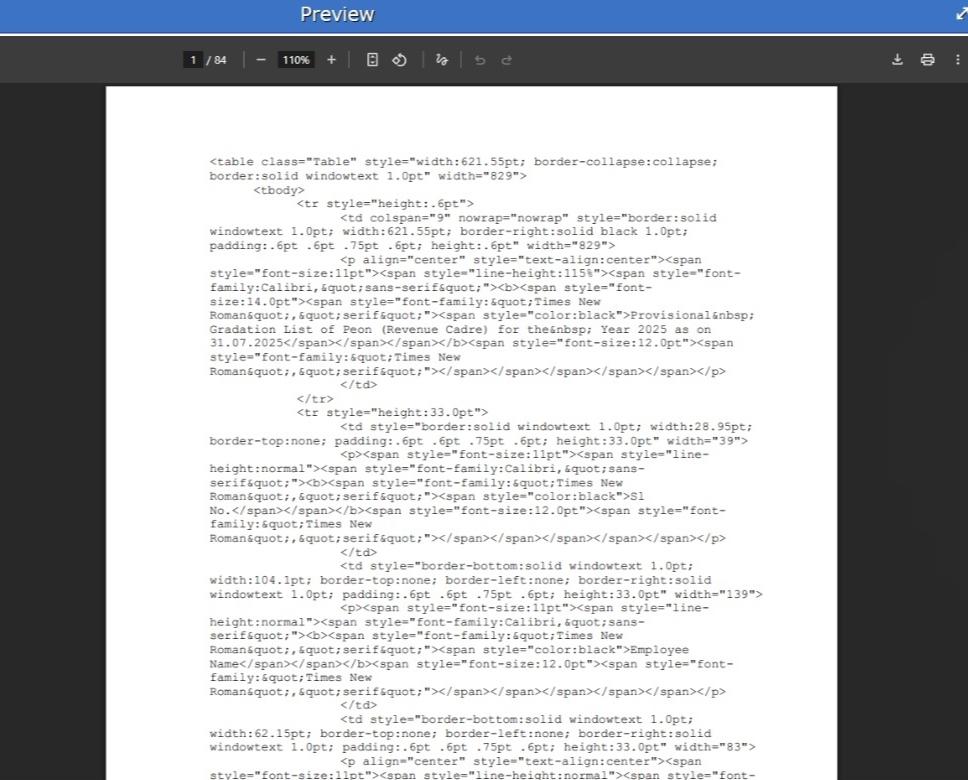
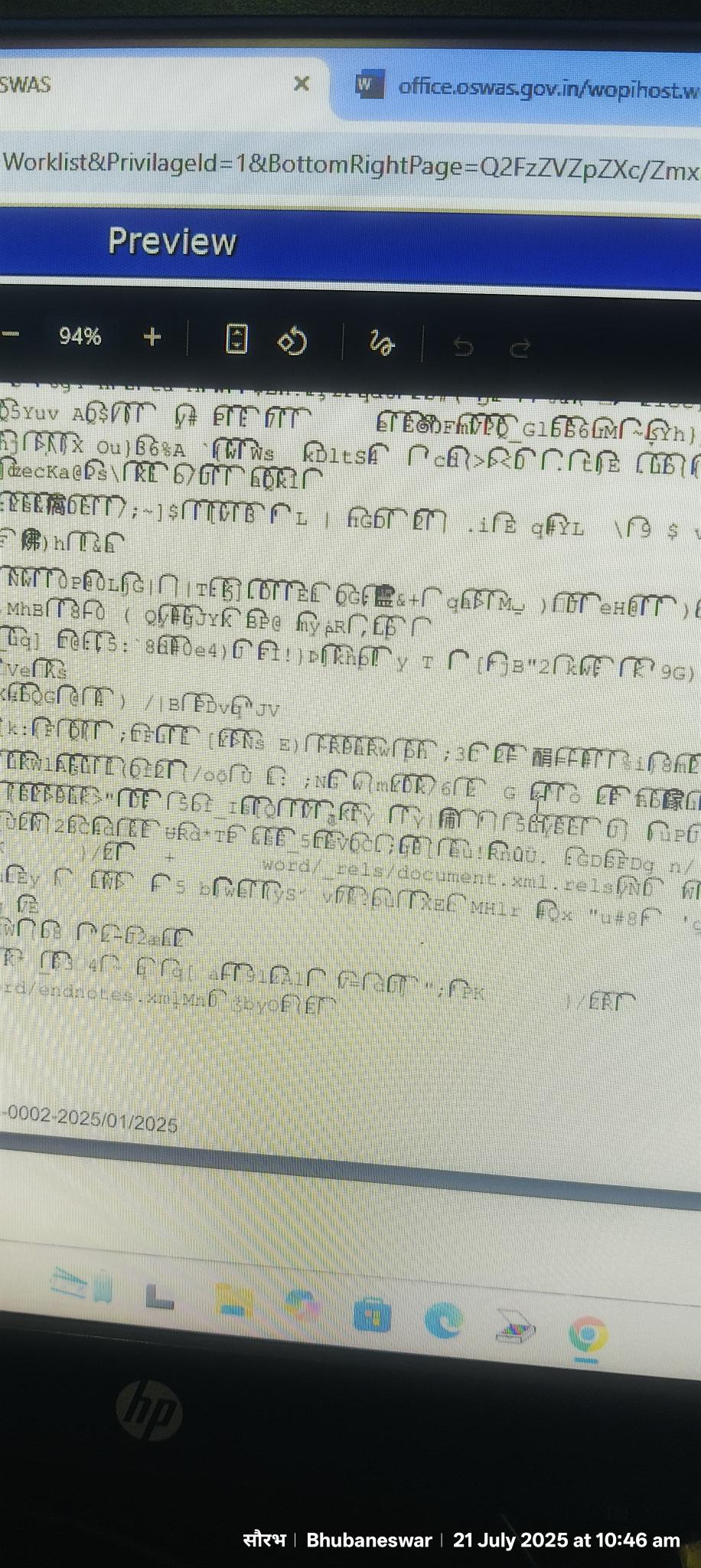
We are using community version of only office API.When uploading a .docx file and converting to PDF via the OnlyOffice conversion tool, the output PDF sometimes contains corrupted or unreadable content. This happens even with simple, valid .docx files.
Hello,
Please provide the following information:
- What version of Document Server are you using?
- What is the type of the Document Server installation? (deb/rpm, Docker, Windows Server)
- How are you performing the conversion? Please describe the steps in detail.
- Attach the original file that reproduces the issue.
1-version": “8.3.3.18”
2-Docker
3-we are following below mentioned steps for document conversion :-
a- we are using this payload as a jwt token having following data
HashMap<String, Object> map = new HashMap<>();
map.put(“async”, false);
map.put(“filetype”, fromFileType);
map.put(“key”, “output_” + fromFileType + “to” + toFileType + “_” + System.currentTimeMillis());
map.put(“outputtype”, toFileType);
map.put(“title”, docName);
map.put(“url”, documentURL);
b- documentURL - /rest/only-office-service/files/175421734/contents
             while fetching document url -
	    response.addHeader("Content-Disposition", "attachment;filename=" +
		new String(filename.getBytes("utf-8"), "ISO-8859-1"));
		response.addHeader("Content-Length", String.valueOf(docAttachMpg.getDocSize()));
		StreamUtils.copy(fis, response.getOutputStream());
        response.setContentType(MediaType.APPLICATION_OCTET_STREAM_VALUE);
c- REQUEST METHOD- POST
REQUEST URL - http://document-converter.oswas.gov.in/converter
REQUEST BODY - {
“token”:“eyJhbGciOiJIUzI1NiJ9.eyJhc3luYyI6ZmFsc2UsImZpbGV0eXBlIjoiZG9jeCIsIm91dHB1dHR5cGUiOiJwZGYiLCJ0aXRsZSI6IkxldHRlcihEcmFmdC0yKS5wZGYiLCJleHAiOjE3NTMxNzg1NzgsImtleSI6Im91dHB1dF9kb2N4X3RvX3BkZl8xNzUzMTc4MjY2NzYyIiwidXJsIjoiL3Jlc3Qvb25seS1vZmZpY2Utc2VydmljZS9maWxlcy8xNzU0MjE3MzQvY29udGVudHMifQ.0Ggw_EpjnYOtxRb-53QVWYSHMSFBGXRoaHU_vSSEUKU”
}
4-unable to upload the original document showing “new user can not reply”
You now have permission to upload files. Please share the original document. Also, note that the version you are using is outdated, kindly update to the latest version (9.0.3) and check if the issue still occurs.
Thanks Dmitrii. We are trying with the latest version pulled from docker. Can you please share your thoughts if this could be a problem due to async parameter ? We are currently having “async”:“false” but are getting multiple concurrent conversion request to this endpoint. Does the community versions limit of 20 connections apply to the conversion endpoint also ? We are using /converter endpoint as a REST call from our main App.
We are using this implementation only for conversion of html and docx to pdf , we are not using this service for loading the documents in edit mode.
The number of requests should not cause document corruption.
Please provide the original document, so we could check on our side. But first make sure that you are actually checking on the latest version.
First, ensure that you are checking on the latest version. You can verify it here:
We are using the API with the /converter endpoint for PDF conversion. This process is handled in the API layer, not on the frontend.
REQUEST METHOD- POST
REQUEST URL - http://document-converter.oswas.gov.in/converter
REQUEST BODY- HashMap<String, Object> map = new HashMap<>();
map.put(“async”, false);
map.put(“filetype”, fromFileType);
map.put(“key”, “output_” + fromFileType + “to” + toFileType + “_” + System.currentTimeMillis());
map.put(“outputtype”, toFileType);
map.put(“title”, docName);
map.put(“url”, documentURL);
OnlyOffice Version we are using is “version”: “9.0.3.29”
Please provide the original file for analysis as well. All sensitive data can be erased or substituted, as long as the problem remains reproducible
Please find the attachment with erased customer data.
onlyoffice.docx (10.4 KB)
And we are unable to upload .html file . And we are facing this issue only in our production environment.
Please provide immediate resolution so that we can proceed.
Waiting your response , kindly respond to our concerns
The above-provided file cannot be opened with any editor, it appears to be corrupted
Thanks for looking into this. The file does not appear to be corrupted, since we are able to successfully convert the same document to PDF using the Office API in our test and pre-production environments. Also the same file is converted to pdf using libre office. The issue only occurs in production while using only office API, where the converted PDF outputs unreadable / gibberish content.
Could you please help us confirm if there are any known discrepancies or additional prerequisites for document-to-PDF conversion in production environments?
Hello @oswas
It depends on the infrastructure of your environments. Basically, Document Server in Docker will have the same dependencies inside, the only difference could be there in services that work with Document Server in your test and production environments.
In the meantime, I have checked provided file and one particular XML file is missing in it. How it was created initially? I have also tried opening attached file in various processors and none of them did manage to open it. How do you open it?
Also, checking JWT from the provided sample, I noticed that URL parameter has following value:
"url": "/rest/only-office-service/files/175421734/contents"
Can you please make sure that the provide link actually contains a file for download and not a stream of the file? It must be absolute URL to the file, not a stream.
I’m experiencing the same issue on OnlyOffice Document Server 9.2.1.1.
When converting DOCX to PDF via the ConvertService API, the resulting PDF sometimes contains the raw binary content of the DOCX file rendered as plain text instead of the actual converted document. The PDF metadata confirms it was generated by onlyoffice/9.2.1.1.
The issue is intermittent — I can repeat the exact same conversion request with the same download URL and it works correctly most of the time. The DOCX file is valid and accessible, and the conversion succeeds on retry. This suggests it may be a concurrency or resource-related issue rather than a problem with the document itself.
Environment:
- OnlyOffice Document Server 9.2.1.1
- Running on Kubernetes (OpenShift)
- Conversion via ConvertService.ashx (async: false)
- Input: DOCX, Output: PDF
Has anyone found a fix or workaround for this?
I found the root cause of this issue in my environment.
It’s a race condition between the ConvertService download and a force_save callback (status 6) overwriting the same file on disk.
Here’s what happens:
- A user submits a form that triggers a DOCX to PDF conversion via ConvertService.ashx
- The ConvertService receives the file URL and starts downloading the DOCX
- Meanwhile, a force_save callback arrives from the Document Server and overwrites the same file on disk with an updated version
- The ConvertService ends up downloading a partially written/truncated file
- Since the downloaded content is not a valid DOCX, the Document Server falls back to treating it as a plain text file
- It then renders the raw binary content as text inside a PDF
I confirmed this by comparing the binary content rendered in the PDF with the original DOCX binary — the PDF is missing the final portion of the file, which is consistent with reading a file while it was being overwritten.
I understand that the download itself succeeded (HTTP 200 with content), so returning a download error like -3 wouldn’t apply here. However, the ConvertService knows the expected input format because we pass the filetype: "docx" parameter in the request payload. It could validate that the downloaded content is actually a valid DOCX file (e.g., checking for the ZIP magic bytes “PK” and a valid ZIP structure) before attempting the conversion.
When the downloaded content doesn’t match the declared filetype, the ConvertService should return an error instead of silently falling back to plain text rendering. The current behavior generates a PDF that looks like a successful conversion, making the failure very hard to detect programmatically.
On my side, I’m fixing the race condition by copying the file to a temporary location before sending the URL to the ConvertService. But I believe the input validation improvement would help other users who might encounter similar issues.