Hello,
I have an issue when configuring the Document server in Odoo.
- ONLYOFFICE Document Server version: 9.0.4
- OS: Windows
- Browser Version: Google Chrome Version 139.0.7258.155 (Official Build) (64-bit)
Additional information:
- Installed the ONLYOFFICE Document server Instance. This can also be accessed via de browser via my-ipaddress:80
Installed the ONLYOFFICE for Odoo module (ONLYOFFICE | Odoo Apps Store) and configured in Odoo:
- Document Server Url: my-ipaddress:80
- Document Editing Service address for internal requests from the server: my-ipaddress:80/
- Server address for internal requests from the Document Editing Service: my-IPaddress:8069/
- Document Server JWT Secret
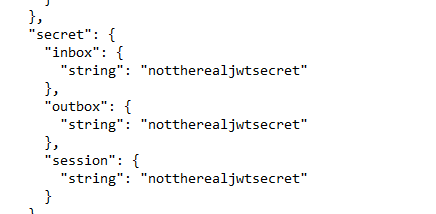
When saving the configuration I get the error message ‘ONLYOFFICE cannot be reached’.
Please let me know if there’s anything I have missed.
Hey @YSohadi, 
Let’s sort this out. Here are a few things to check based on your setup:
-
I noticed your Document Server URL is set to my-ipaddress:80. It should include a trailing slash, like this: http://my-ipaddress:80/. Could you update that and see if it helps?
-
Does the example (built into the Document Server) work correctly? For instance, can you open, edit, and save documents?
-
You mentioned ONLYOFFICE Document Server version 9.0.4, but could you confirm the version of the Odoo connector (onlyoffice_odoo) you’re using? You can find it in the Odoo Apps menu or the module details.
-
Also, what version of Odoo are you running? This will help us ensure compatibility.
If you can share these details, it’ll give us a clearer picture to troubleshoot. Thanks for your patience, and let me know how it goes!
Hello Nikolas,
Thank you for your reply.
Here are the answers to your questions:
- I included a trailing slash my-ipaddress/ but then I get the error message ‘Error when trying to check CommandService’
- The example Document server does work and is reachable through http://my-ipaddress:8000/example/
- The OnlyOffice_Odoo version: 18.0.5.2.0
- I use the Odoo 18 Community Edition
In the meantime I changed a few things. These are the results I got:
- my-ipaddress:8080/healthcheck with the result ‘true’
- I also get the message ‘Document server is running’ when I go to my-ipaddress:8080/welcome
I installed this on a Windows 11 VM.
Let me know if this is the problem.
Hey @YSohadi, 
Thanks for the detailed update!
I see you installed the ONLYOFFICE Document Server on a Windows 11 VM, but our official requirements specify 64-bit Windows Server 2016 or higher for Windows installations. Windows 11 isn’t officially supported, which could explain the “Error when trying to check CommandService” and connectivity issues.
I recommend installing it on:
- Windows Server 2016+, or
- Any Linux distribution (e.g., Ubuntu 22.04 via Docker or .deb) for better stability and support.
Once you have it running on a supported OS, test the Odoo connector (v18.0.5.2.0) again with the correct URL (http://your-server-ip:80/).