Docker update broke my CRM portal

I have been running a workspace with document server on my digital ocean ubuntu server droplet for over a year and 2 or 3 times a week, the CRM will crash and the server will need a restart. Today I noticed a docker update (after a crash) and foolishly run the update midday, before backing up.
We got the stuck loading screen and couldnt get passed it. So I consulted a LLM (perhaps another foolish decision) to try and troubleshoot and ended up backing up my database and re-installing the onlyoffice docker. The only thing I changed from past installs was not including the mailserver module because for some reason it wouldnt accept my domain.
Unfortunately, I have been stuck in a 8 hour loop of failed attempts to get things running. The best guess from the LLM is that the community server is not able to load and it is likely because of a silent failure due to incompatibility with the backed up database.
Here is a direct quote:

Final Troubleshooting and Fix for OnlyOffice CRM Stuck LoadingI understand the frustration — the logs stopping at “success: www entered RUNNING state” means nginx is up, but the OnlyOffice backend (the .NET Core app for the portal and CRM) is crashing silently during initialization, preventing migrations and the “Server started” line. This is a known issue in OnlyOffice Docker setups after updates or reinstalls (from the web search results, e.g., where the community-server container restarts endlessly due to update failure, where the portal hangs on startup after Docker install, and where the container crashes after 6 seconds with no UI, fixed by full reinstall or dependency fixes). The curl 302 is nginx responding, but the app backend never loads, so the portal stays stuck on the loading bar, and CRM API endpoints fail.The root cause is likely:MySQL connection failure: The app can’t authenticate or query the DB during startup (the endless “mysqladmin ping” in your logs shows it’s trying but failing).
Volume corruption: Old files in /app/onlyoffice/CommunityServer/data or /app/onlyoffice/ControlPanel/data are incompatible with the new image.
.NET Core runtime crash: Missing dependencies or bad config (the “Development” mode should show more logs, but it’s not).

The “no server started” is the backend not launching, so no migrations, no CRM.

My logs are stuck with this error at the end:

+ sleep 1
+ mysqladmin ping -h onlyoffice-mysql-server -P 3306 -u onlyoffice_user --password=onlyoffice_pass --silent
mysqladmin: [Warning] Using a password on the command line interface can be insecure.

Any help would be greatly appreciated. I would rather not roll back to yesterday and lose 5 hours x 3 people of work!

Edit: I got the portal loading page back but then broke it again because I cant get the community server started and connected to the database.

Edit 2: Its still down. The issue seems to be with the mysql database being 5.7 and incompatible with any new versions and for some reason I cant change any permission in the logs folders, so the process of starting the docker back up fails.

edit 3: Got the portal up and loaded with my database backup from hours earlier. But cant log in. Tried multiple different approaches, including finding the admin ID and hash and changing the password. Also tried making a new admin user. Cant login. “Invalid username or password.”

Final edit: ended up running the forgot password feature once I realized the SMTP settings were still intact. The only issue now is that the documents server has been emptied. It shows all the files, but when you try and select one, it says download failed. All documents and files linked in the CRM are dead too. @Alexandre any ideas?

Ken
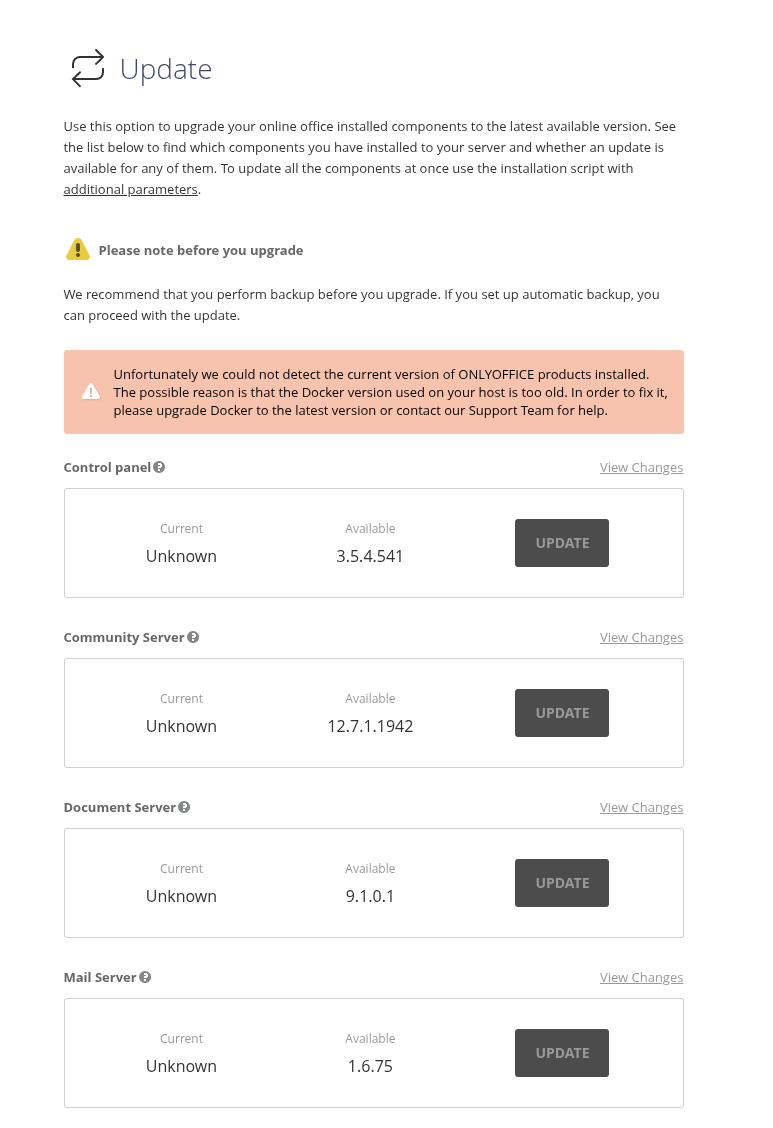
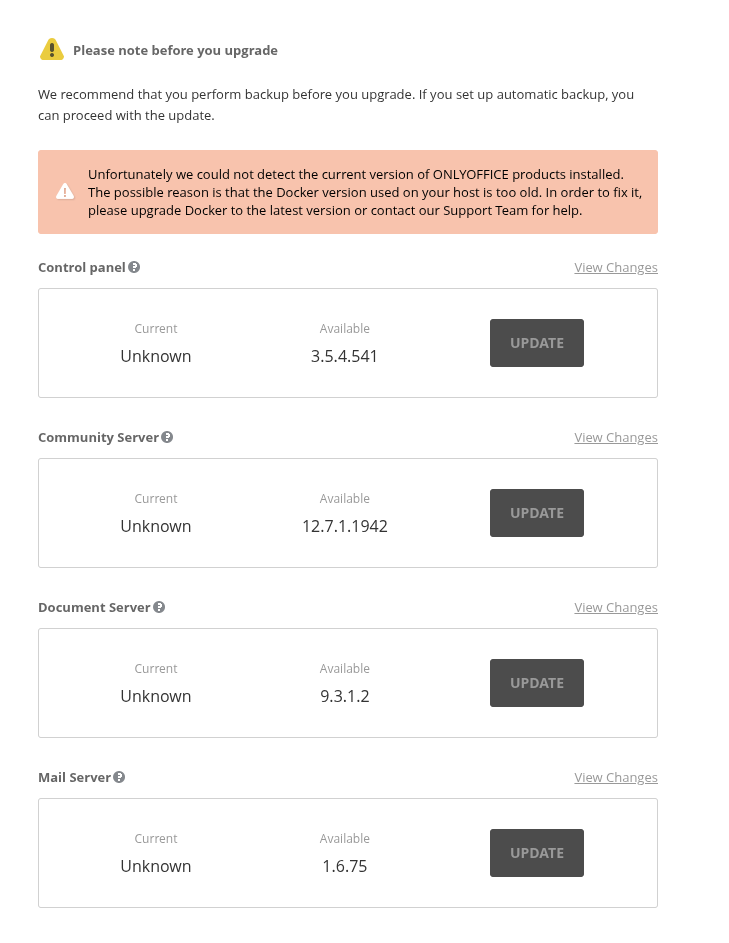
There is also this new problem. Cant update the portal anymore:

Unfortunately we could not detect the current version of ONLYOFFICE products installed. The possible reason is that the Docker version used on your host is too old. In order to fix it, please upgrade Docker to the latest version or contact our Support Team for help.

Hello @zionad

Please provide outputs of docker ps and docker -v.

Here you go. Thanks for the help:

root@office:~# docker ps
CONTAINER ID   IMAGE                                    COMMAND                  CREATED      STATUS      PORTS                                                                                                                                                                                        NAMES
5a233b3a08a2   onlyoffice/communityserver:12.7.1.1942   "/app/run-community-…"   6 days ago   Up 5 days   0.0.0.0:80->80/tcp, [::]:80->80/tcp, 0.0.0.0:443->443/tcp, [::]:443->443/tcp, 3306/tcp, 5280/tcp, 9865-9866/tcp, 9871/tcp, 9882/tcp, 0.0.0.0:5222->5222/tcp, [::]:5222->5222/tcp, 9888/tcp   onlyoffice-community-server
dc87acc9a2b8   onlyoffice/controlpanel:3.5.4.541        "/var/www/onlyoffice…"   6 days ago   Up 5 days   80/tcp, 443/tcp                                                                                                                                                                              onlyoffice-control-panel
d00936314300   onlyoffice/documentserver:9.1.0.1        "/app/ds/run-documen…"   6 days ago   Up 5 days   80/tcp, 443/tcp                                                                                                                                                                              onlyoffice-document-server
198410e1fcb9   onlyoffice/elasticsearch:7.16.3          "/bin/tini -- /usr/l…"   6 days ago   Up 5 days   9200/tcp, 9300/tcp                                                                                                                                                                           onlyoffice-elasticsearch
99d334c17896   mysql:8.0.29                             "docker-entrypoint.s…"   6 days ago   Up 5 days   3306/tcp, 33060/tcp                                                                                                                                                                          onlyoffice-mysql-server
root@office:~# docker -v
Docker version 29.0.4, build 3247a5a

Thanks. Only Document Server is outdated (obviously, because there was update a week ago). You should update it too before reconnecting it to the portal.

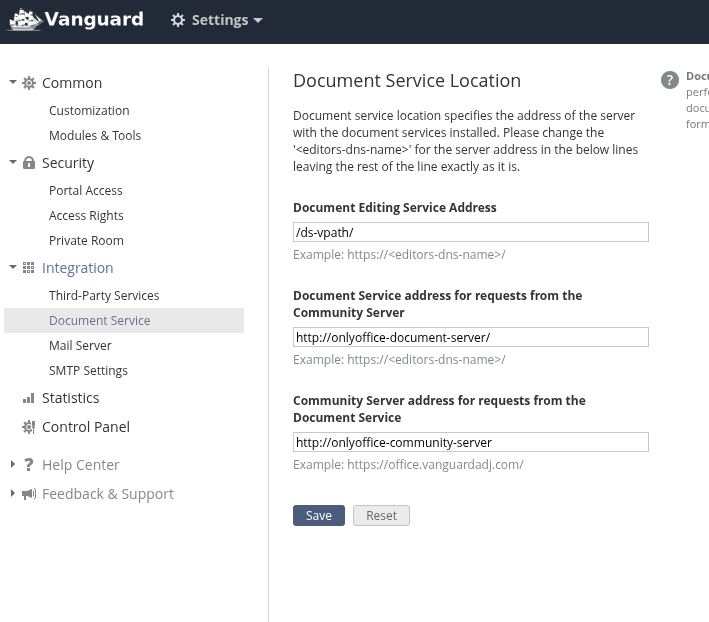
Can you show Settings > Document Service settings? Would be also good to press Save and make another screenshot with an error on screen.

Document server is fully up and running. I was able to restore from a backup I had on digital ocean. All functionality is back, except the ability to update the only office components (screenshot error above).

Here is a screenshot of the document service in settings:

You can always update with script instead of Control Panel.

I didnt know that existed. Are you talking about the “Component Update” section at this link?

https://helpcenter.onlyoffice.com/workspace/installation/workspace-install-docker-parameters.aspx

What are the data loss risks of doing it this way?

Yes, the parameter -u for the script runs an update. The update process via the script is pretty much the same as via Control Panel. There should be no risks, unless a portal runs with errors.

If you are not sure, you can always prepare a snapshot of the machine or full backup of it (not a backup of the portal) before updating.

1 Like