Hello,
The moment I open the app, it closes. I tried reverting to previous versions of onlyoffice but I get the same issue.
I’m on windows 11 24H2
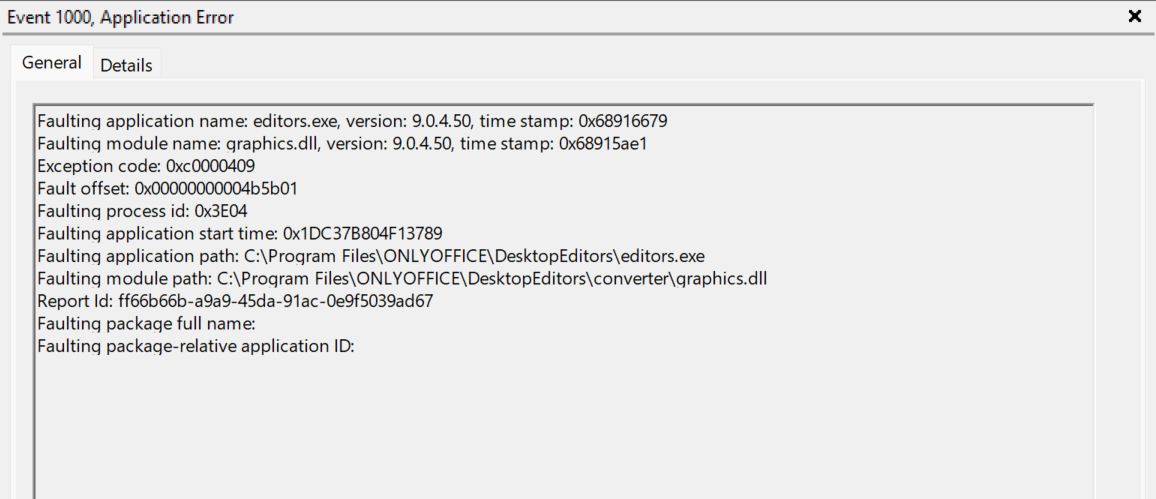
the error I’m getting
Any help would be welcomed.
Thank you,
Hello,
The moment I open the app, it closes. I tried reverting to previous versions of onlyoffice but I get the same issue.
I’m on windows 11 24H2
the error I’m getting
Any help would be welcomed.
Thank you,
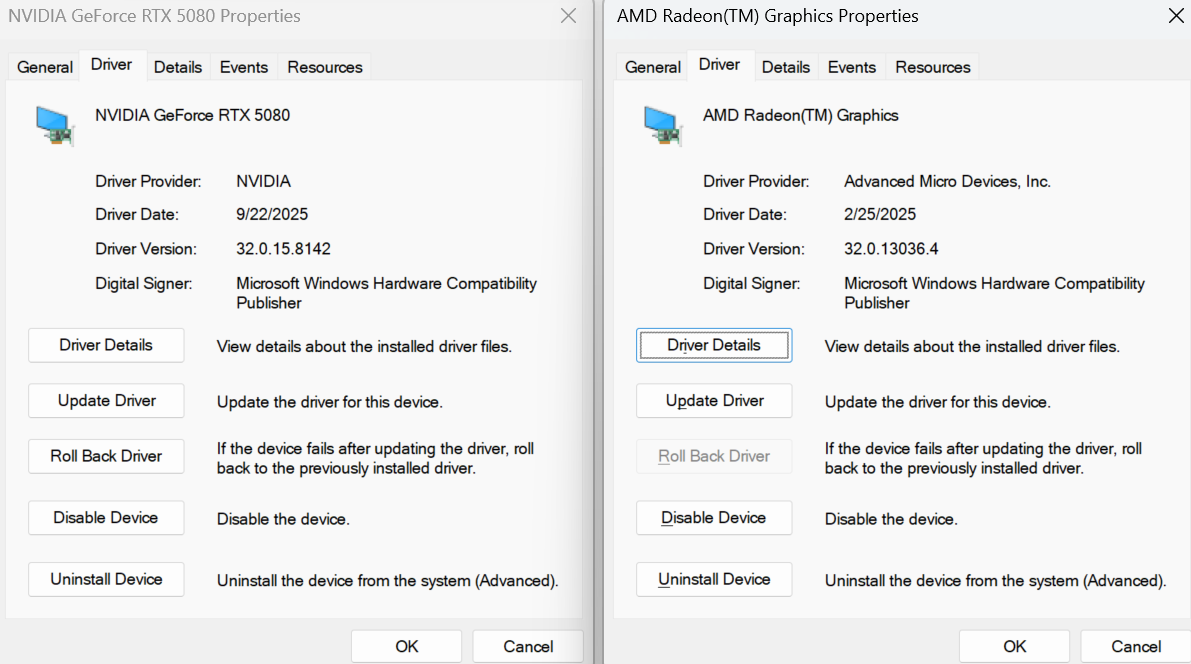
Here’s my graphic card info, since I couldn’t post it with my previous post. I also tried to revert the driver from the geforce but it didn’’t solve anything.
Hey @Neetsel, 
Thanks for reporting the crash on startup in ONLYOFFICE Desktop Editors (v9.0.4) on Windows 11 24H2.
Your RTX 4060 is awesome, but let’s troubleshoot step by step.
Check GPU drivers: Are they the latest from NVIDIA (e.g., via GeForce Experience or manual download)? If so, try rolling back to a previous version temporarily.
Launch with GPU disabled: Press Win + R, enter:
"%ProgramFiles%\ONLYOFFICE\DesktopEditors\DesktopEditors" --disable-gpu
Press Enter. Does it open? If there’s an error, share it.
Full clean reinstall:
del /s /q "%LOCALAPPDATA%\ONLYOFFICE"
del /s /q "C:\Program Files\ONLYOFFICE"
If it still crashes, share a short video of the startup process, uploaded to any file storage service (e.g., ONLYOFFICE DocSpace, kDrive, or Dropbox).
Hello,
I tried everything recommended, but there’s no change. Here’s the video you asked for.
And I still get the same errror
Faulting application name: editors.exe, version: 9.0.4.50, time stamp: 0x68916679
Faulting module name: graphics.dll, version: 9.0.4.50, time stamp: 0x68915ae1
Exception code: 0xc0000409
Fault offset: 0x00000000004b5b01
Faulting process id: 0xB08
Faulting application start time: 0x1DC3950DF40B135
Faulting application path: C:\Program Files\ONLYOFFICE\DesktopEditors\editors.exe
Faulting module path: C:\Program Files\ONLYOFFICE\DesktopEditors\converter\graphics.dll
Report Id: 749e4fb0-8470-4d7d-9bcf-c92b76c9a091
Faulting package full name:
Faulting package-relative application ID:
Thanks for your help
Hey @Neetsel,
Thanks for the update and for trying all the troubleshooting steps — and for sharing the video and error details. Sorry it’s still crashing on startup with that graphics.dll fault (0xc0000409) in v9.0.4.50.
To narrow it down further, could you test with the latest release, v9.1.0? We’ve made some graphics-related improvements that might resolve this. You can download it from the official site: Download ONLYOFFICE Desktop Editors.
Hello,
Unfortunately, I have the same issue with the same error as before.
Hey @Neetsel,
We’re still working with the team to figure out this graphics.dll crash (0xc0000409) on Windows 11 24H2, in v9.1.0 — thanks for testing that and confirming it persists. Sorry for the ongoing hassle.
In the meantime, while we investigate, could you try one more thing? Run the System File Checker to repair any corrupted system files that might be contributing:
cmd > Ctrl+Shift+Enter).sfc /scannowIf it still crashes, share the output from that command (any errors?). We’ll keep at it and update you soon — no need for more info right now unless that SFC run shows something odd.
Appreciate your patience!