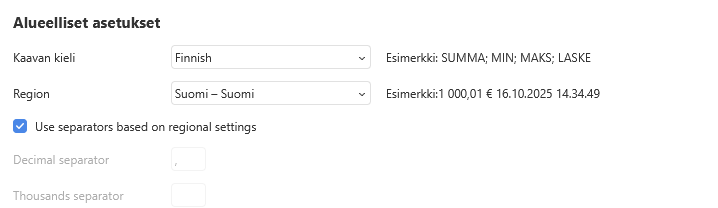
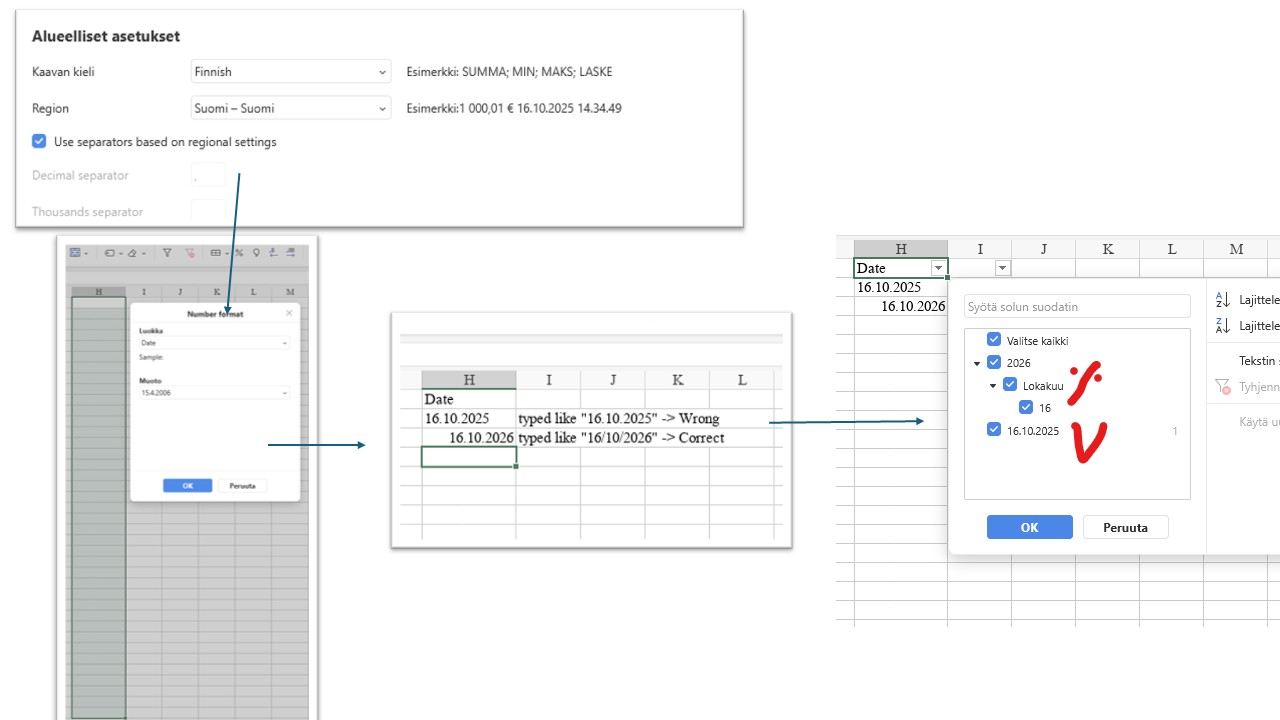
Report a bug/how to reproduce: I have finnish / suomi settings in my spreadsheets → If I type finnish date “16.10.2025” + Enter in a column which has correct date formatting, the date is still wronly formatted. Only way to enter correct date is still type it like “16/10/2025” + Enter
Document Server version: deb installiaton on linux, version 9.0.4.50
OS: Windows 11 Pro 24H2
Browser version: Firefox 144.0 and before
Additional information: -
Hello!
We have successfully reproduced the issue you described. We are currently analyzing this behavior. We will update you with our findings and a solution as soon as the analysis is complete.
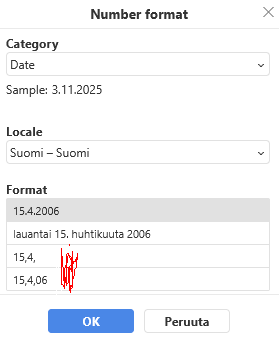
Hello, in the latest OO version the finnish date formatting seems to have wrong separation marks “,” → It should be “.”.
Hi @best400test ,
Thank you for reporting this issue with Finnish date formatting.
We understand the problem - the separator marks are showing as commas (,) instead of periods (.) as they should be in Finnish locale.
We are currently analyzing this behavior and will update you with our findings.
Hi @best400test !
ONLYOFFICE Docs 9.3 has been released, and this issue is fixed in 9.3.
Could you please update your Document Server to v9.3 and confirm if the problem is resolved on your side?
Tested → Jes it works now, thank you!
1 Like