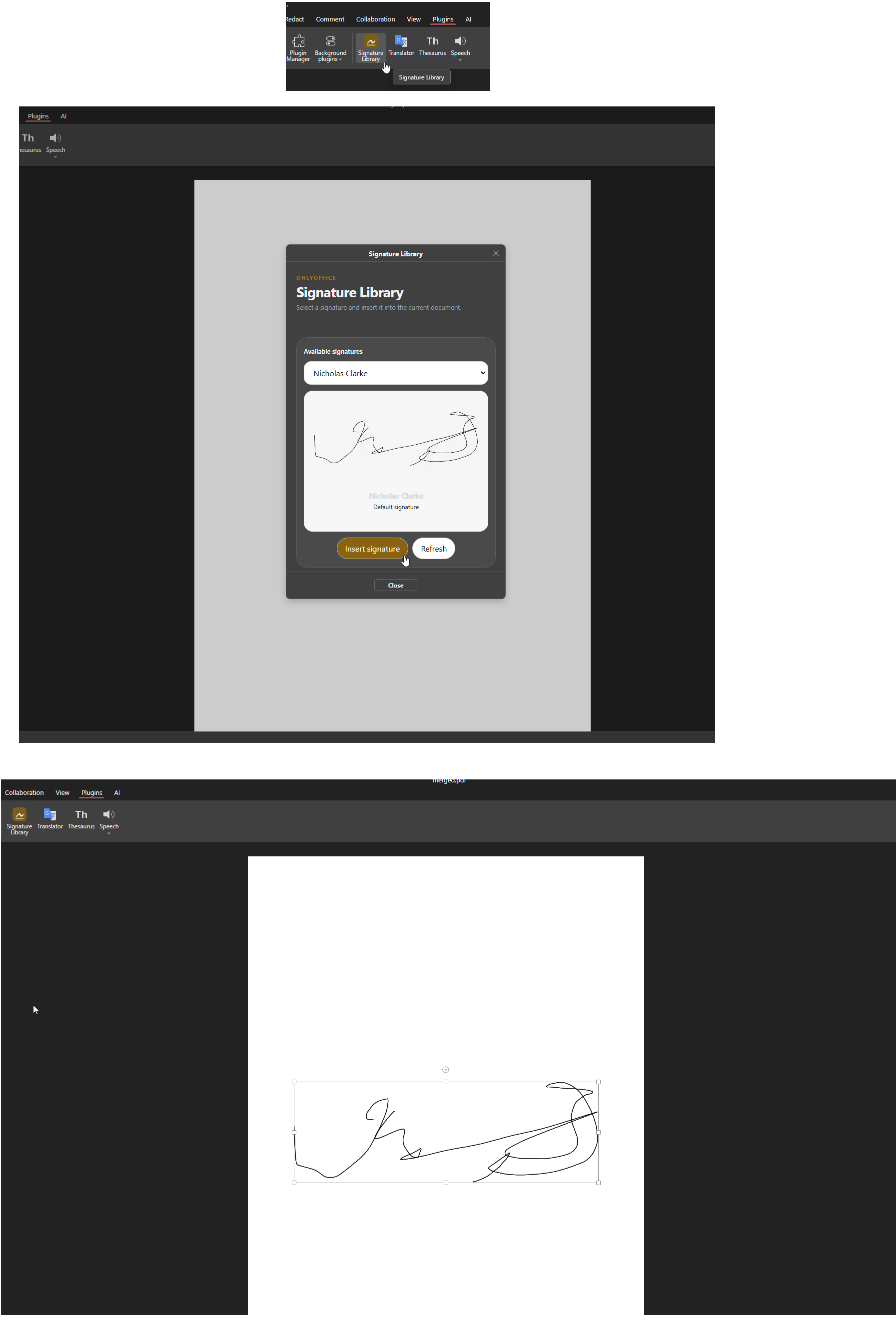
Saw in the latest version 9.3 lots of updates around stamps and signatures etc.
Is it now possible to inject stamps and signatures from outside.
So predefined images for corporate stamps or a users saved signatures.
Would be mainly in PDFs and Word files.
I understand in the community version it might be limited but maybe possible with the developer edition.
But if you’re looking for something specific, let me know exactly what you have in mind — I’ll check with the team and give you the most accurate answer.
This only works from the looks of it on PDF forms and signature field.
We would like to be able to stamp a document (PDF or word etc) with a predefined stamp/signature and no form field.
We have coded up an editor plugin that allows us to pick predefined signatures:
So the user can now pick from their many signatures and insert them into a document.
This works great but would be good it something was built in.
We are also thinking we could extend this to offer more advanced or specific stamp/signatures that our company need. Like placeholder sites work (https://placehold.co) so you can pass in information in the URL and get back a dynamic image. The OnlyOffice plugin would call a API/endpoint to get back some definition of what is available to pick (manifest.json URL that include a list of URLs to display and their name, category etc. Used for the UI) and then on selection call the fixed or dynamic URL like below.
e.g.
/signatures/a.user/main.png (fixed)
/signatures/a.user/altervative.png (fixed)
/stamp/important/a.user/2001-01-01:0900/a-user-error-stamp.png (dynamic taking the details from the URL to putting into a stamp png called a-user-error-stamp.png)
Is your plugin open-source / freely distributable? If yes, would you mind sharing it here (e.g., GitHub link or zip)? Other users might find it super useful and could benefit from your work — or even contribute improvements.
In any case, I’ve passed your full idea to the team.
Thanks for the inspiration — this is exactly the kind of real-world use case that helps us build better features!