Do you want to: Report a bug
OS version: Windows 11 24H2
App version: 9.0.4.50
Downloaded from: ONLYOFFICE website.
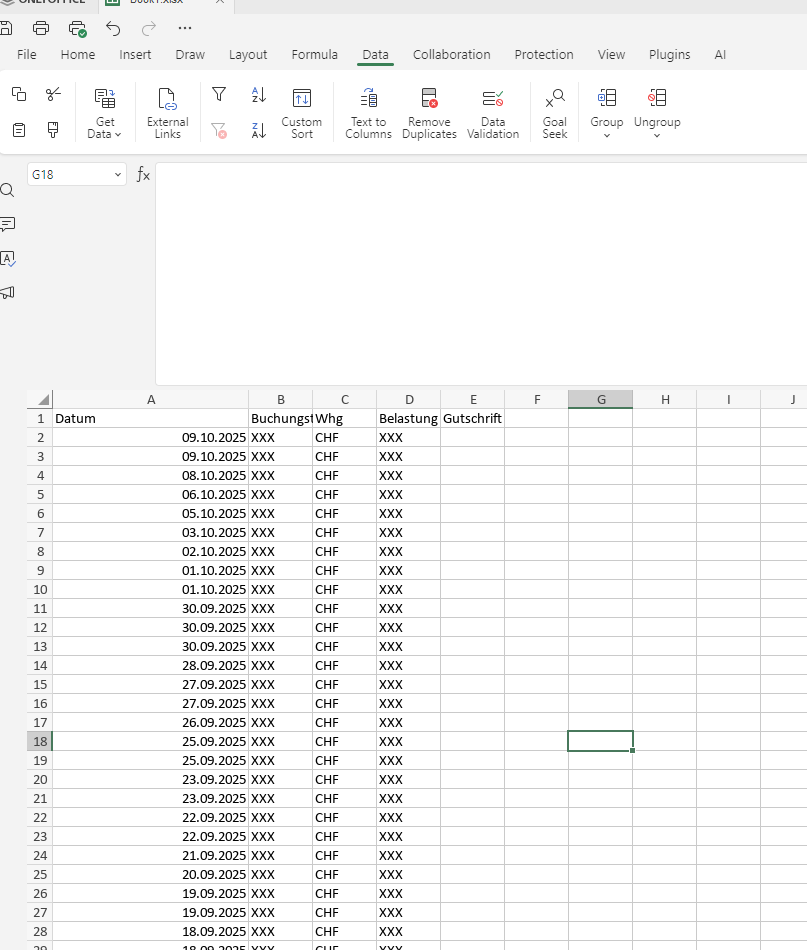
Additional information: CSV imports containing date formats may occasionally be imported incorrectly when the date and time are formatted according to the German (Switzerland) convention (DD.MM.YYYY). Although the date appears correct in the preview, discrepancies may occur in the final document, resulting in the day and month being inadvertently swapped. (Dates are from July to October. After importing, there are dates starting from January.)
I am able to provide printscreens and CSV file upon request.
Hello @SuterSoftware
I’ve tried to reproduce the scenario with mentioned regional settings, but without success. The file opens correctly without changing order of dates in the A column. For a double-check I used LibreOffice and MS Excel, but still no luck.
Does the issue occur constantly on your PC? Could you please record a video file of your actions?
Hello @SuterSoftware
Probably I misunderstood your request.
The ONLYOFFICE, MS Office online and LibreOffice open the provided file in the same way as shown in your video. I mean that initial file has the lines which aren’t sorted, and you perform this action in the video.
Please clarify if I misunderstood your request and show us the expected behavior from different editors.
I just noticed something in your screenshot that I didn’t notice earlier.
The error only accoures when i open the .csv-file directly from the windows explorer!
Everything works fine when i open a new tabel and import it with the menu “Data” → “Get Data”.
(The import window also looks different there.)
In the thread that I highlighted, I did identify a workaround, so the priority of this issue’s resolution dropped for me. I just use the alternate process, and it’s all good
… well obviously, it could be better, but hey, it works.
Thank you @DavidRGreen for the provided workaround solution. On our side, we’re still checking the situation, and we will contact you in your thread once we have something to share.