Hello Team,
I have a test environment where I’m currently working on an integration to provide OnlyOffice to our client in the future.
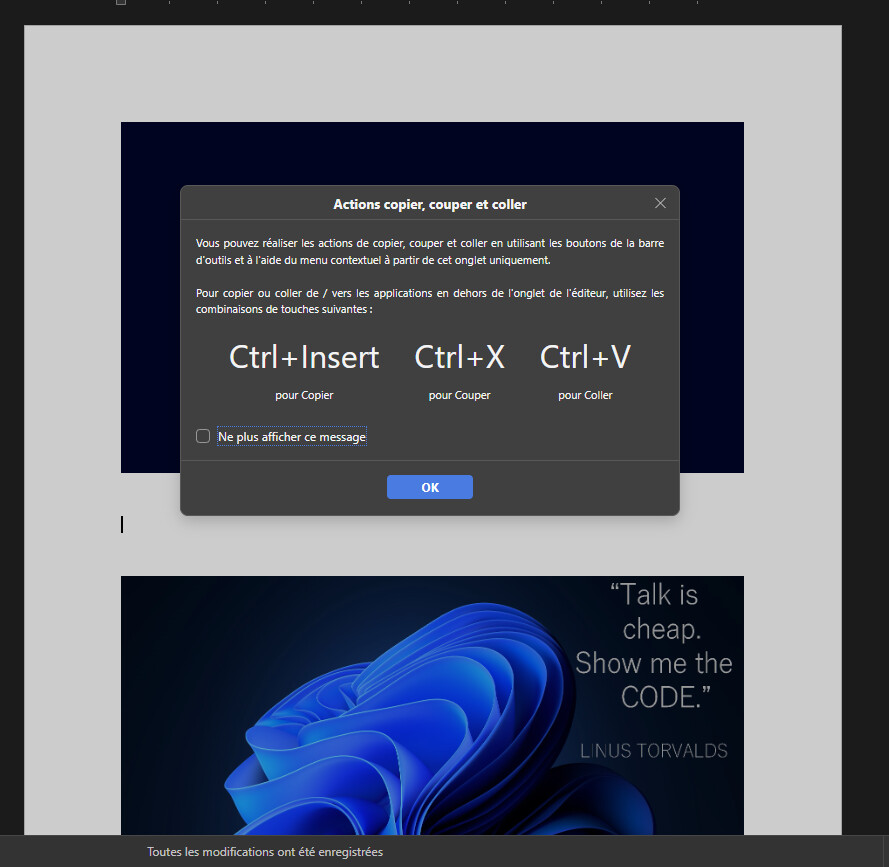
However, when I try to perform copy/paste actions within documents, I receive the attached message.
Is there a specific configuration that needs to be enabled to allow copy/paste functionality?
For reference, I’m using the Docker version of OnlyOffice.
Thanks in advance for your help.
Hi @r.nassif, welcome to the community 
This is expected browser behavior, not a Docker/DocSpace misconfiguration. Browsers restrict clipboard access from context-menu and toolbar buttons, so the editor shows this informational notice whenever copy/cut/paste is triggered from the right-click menu or toolbar. The action still works — the popup is only a reminder that keyboard shortcuts are required when moving content between the editor and other tabs or applications:
Ctrl+C — CopyCtrl+X — CutCtrl+V — Paste
To hide the notice for future sessions, tick “Don’t show this message again” at the bottom of the popup.
Reference: Document Editor - Copy/paste text passages, undo/redo your actions
Hello @Nurullo,
Thank you for the clarification.
However, in our case, we specifically need to enable pasting from the clipboard using the Paste button/context menu, rather than requiring users to use Ctrl+V.
Is there any configuration, browser permission, ONLYOFFICE setting, or other solution that would allow us to enable this functionality?
If this is restricted by the browser, is there any supported workaround or integration that would allow the Paste button to access the clipboard directly?
Thank you for your support.
Hi @r.nassif,
In the online editors, pasting from the system clipboard through the Paste button or context menu isn’t possible — this is a browser security restriction, not a configurable setting. For content copied from another document or application, please use Ctrl+V / Cmd+V.
Reference: Document Editor — copy/paste