Character Loss Issue When send Text to OnlyOffice Document Editor via Plugin API

OnlyOffice Document Server version 9.0.2
Implementation Details:

We have implemented a streaming text insertion feature using OnlyOffice Plugin API. Here’s how we use it:

  1. Frontend Integration:
  • Load OnlyOffice editor with custom plugin
  • Use window.docEditor.serviceCommand('InsertCharacter', {...}) to send characters
  • Stream characters one by one or in small batches (3-10 characters)
  1. Plugin Implementation:
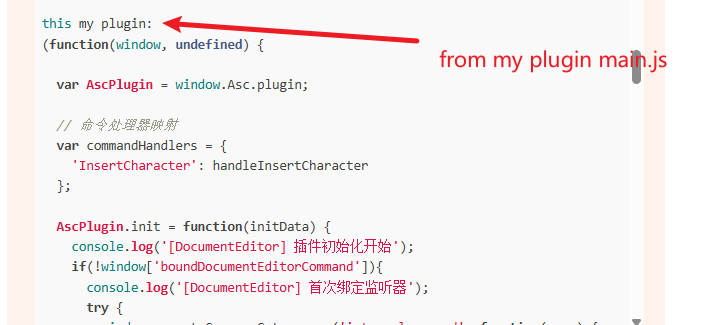
    // In our custom plugin (main.js)
    function handleInsertCharacter(options) {
    AscPlugin.callCommand(function() {
    var oDocument = Api.GetDocument();
    var character = options.character;
    var oLastParagraph = oDocument.GetElement(oDocument.GetElementsCount() - 1);
    oRun.AddText(character);
    consolo.log(“success”)
    });
    }
  2. Streaming Process:
    window.docEditor.serviceCommand(‘InsertCharacter’, {
    character: character
    })
  • Each character sent with 40ms delay between calls
  • Characters are Chinese text (UTF-8 encoded)
    Problem Description:

We consistently experience character loss at specific character counts (around 60-70 characters), regardless of the insertion method:

  1. Consistent Pattern:
  • Problem always occurs around 60-70 characters
  • Happens whether we send 1 character, 3 characters, or 10 characters per batch
  • Issue is related to total character count, not number of API calls
  1. Observed Behavior:
  • Frontend logs show serviceCommand calls are successful
  • Plugin receives the commands (outer logs print correctly)
  • But AscPlugin.callCommand inner function doesn’t execute (success not log)
  • subsequent characters insert normally
    Questions:
    Is there an internal checkpoint/autosave mechanism that triggers around 60-70 characters?
    Does OnlyOffice have document content thresholds that pause API processing?
    Are there WebSocket buffer limits or internal queues that might cause this?
Hello,
Could you please provide us with the full plugin for testing purposes? You can send it via PM if that’s more convenient.
There shouldn’t be any mechanism limiting this, but it could be a bug. We need to analyze the issue first to provide more details.
And please check on the latest 9.0.3 version as the version that you are using is out of date

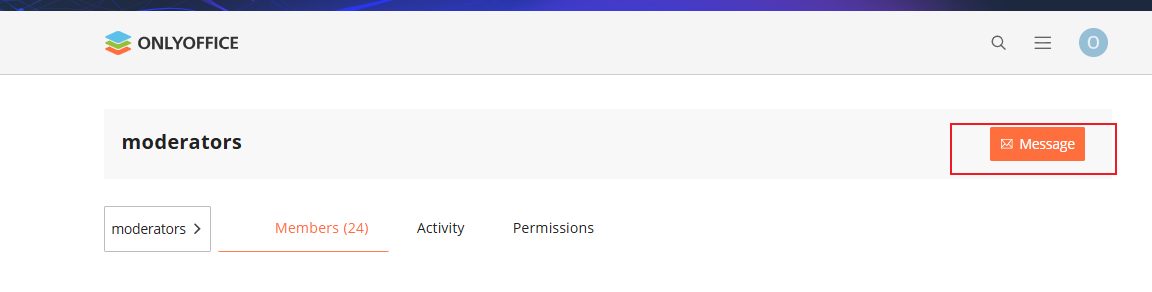
Sorry,I dont’ konw how to send message to you , I hava send message to moderators
is right?

I hava invited you ,thank you

Hello, have you found any problems or do you need me to provide anything for further investigation?

Hello,
Sorry for the delayed response, the message has been received.
Please note that all plugin code must be contained within the plugin structure itself (Getting started | ONLYOFFICE) and cannot interact with your application directly, it looks like it is not done correctly now.
If you need to interact with the Editor from your app, Automation API is required.

It doesn’t matter.
I know [quote=“DmitriiV, post:6, topic:15570”]
plugin code must be contained within the plugin structure itself
[/quote]

The code I provided is extracted from the main.js file.

Here are the steps I take to call the plugin function

first I load Load onlyoffice in the following way(config in the private message)
window.docEditor = new window.DocsAPI.DocEditor(‘onlyoffice-editor’, config)

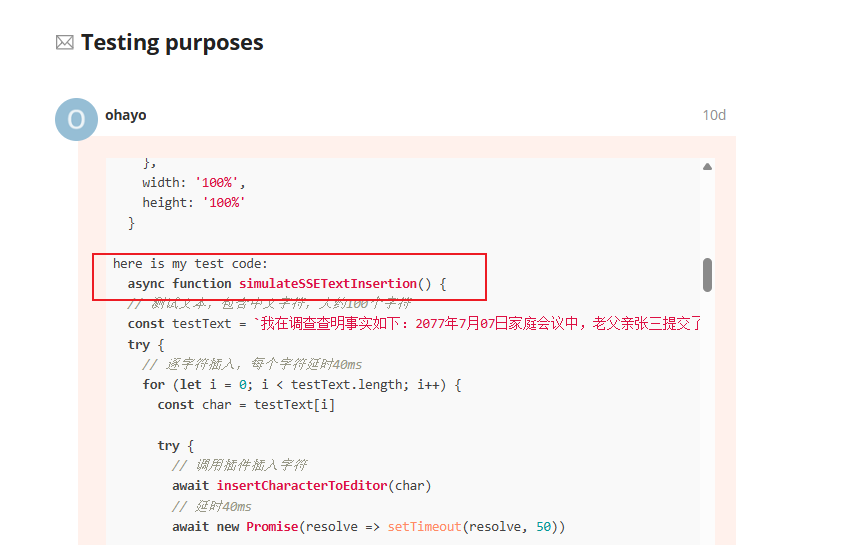
second I call simulateSSETextInsertion() function(The code is in the private message I sent)
this function call window.docEditor.serviceCommand

and in plugin(main.js) The call is received in the following way
window.parent.Common.Gateway.on(‘internalcommand’

so I didn’t call it directly.

in first private message picture,The contents of the word file are inserted into the doc in this way

I have sent the other files of the plugin to the private message, please check

I mean, where is function simulateSSETextInsertion() ? Is it within the html?

My mistake, I gave you a simplified application code

<!DOCTYPE html>
<html lang="en">
  <head>
    <meta charset="utf-8" />
    <meta name="viewport" content="width=device-width, initial-scale=1" />
    <title>Document Editor Plugin</title>
	<script src="http://ip:port/web-apps/apps/api/documents/api.js"></script>
  </head>

  <body>
		<div id="onlyoffice-editor" class="onlyoffice-editor"></div>
  </body>
  
  <script>
  const config = {
    documentType: 'word',
    document: {
      fileType: 'docx',
      key: docKey,
      title: ‘doc’,
      url: fileUrl,
      permissions: {
        edit: true,
        download: true,
        print: true,
        review: true,
        comment: true
      }
    },
    editorConfig: {
      mode: 'edit',
      lang: 'zh-CN',
      region: "zh-CN",
      location: "zh-CN",
      callbackUrl: ‘url’
      user: {
        id: 'user1',
        name: '用户'
      },
      coEditing: {
        mode: "strict",
        change: false,
      },
      customization: {
        autosave: true,
        forcesave: "true",
        compactHeader: false,
        compactToolbar: false,
        zoom: 80,
        unit: 'cm', 
        layout: {
          toolbar: {
            file: {
              settings: false 
            }
          }
        }
      },
      events: {
        onDocumentReady: onDocumentReady,
        onAppReady: onAppReady,
        onError: onError
      }
    },
    width: '100%',
    height: '100%'
  }
  async function simulateSSETextInsertion() {
  // 测试文本,包含中文字符,大约100个字符
  const testText = `我在调查查明事实如下:2077年7月07日家庭会议中,老父亲张三提交了与宇宙公司销售经理的通话录音及微信聊天记录。通话录音显示销售经理称问题飞船仅有小剐蹭和喷漆修复,`
  try {
    // 逐字符插入,每个字符延时40ms
    for (let i = 0; i < testText.length; i++) {
      const char = testText[i]

      try {
        // 调用插件插入字符
        await insertCharacterToEditor(char)
        // 延时40ms
        await new Promise(resolve => setTimeout(resolve, 50))

      } catch (error) {
        console.error(`插入字符异常: ${char}, 错误:`, error)
      }
    }

  } catch (error) {
    console.error('模拟SSE文字插入测试异常:', error)
  }
}

async function insertCharacterToEditor(character: string, needIndent: boolean = false): Promise<boolean> {
  return new Promise(async (resolve) => {
    try {
      if (window.docEditor && window.docEditor.serviceCommand) {
        window.docEditor.serviceCommand('InsertCharacter', {
          character: character,
          needIndent: needIndent,
          fontFamily: '黑体'
        })

        resolve(true)
      } else {
        console.warn('OnlyOffice编辑器API不可用')
        resolve(false)
      }
    } catch (error) {
      console.error('插入字符到编辑器失败:', error)
      resolve(false)
    }
  })
}
  
  setTimeout(() => {
         window.docEditor = new window.DocsAPI.DocEditor('onlyoffice-editor', config)
         setTimeout(() => {
          simulateSSETextInsertion()
        }, 4000)
        }, 1000)
		
	
  </script>
</html>

As I mentioned above, you’re adding some code to your index.html and trying to interact with the plugin from within this index.html. However, this is currently not possible without the above-mentioned Automation API.