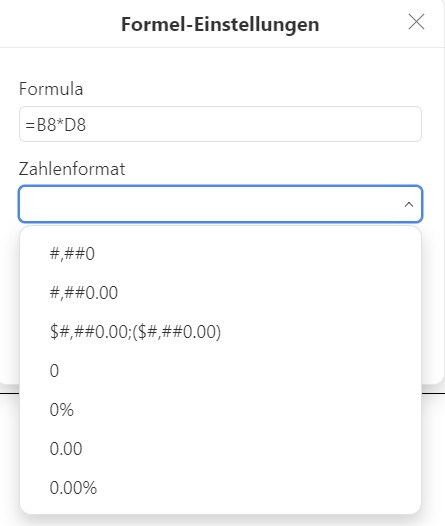
Hi all. I want to create a table within a Document editor file. This table is supposed to be used as an invoice form. Thus, I need formulas within that table such as SUM(ABOVE), SUM(LEFT) and so on and so forth. Now, when I want to add a formula, in that pop-up menu I can change the number format for that specific formula. The only currency option that is showing though is dollars, with the dollar sign before the number and a . instead of a , as a decimal separator. I would like to change that. Would that be possible somehow? Thanks in advance
OS version: Windows 11 x64
App version: 9.1.0.167
Downloaded from: ONLYOFFICE website
Additional information:
attached screenshot showing the number formatting options (no € :'()
Hey @fiesemoepp, 
I think we can fix the € issue right now without waiting for a new version!
Please try one of these two options:
-
Editor-wide
Go to Settings → Interface language → choose German (Germany) or any other language that uses € as default currency (e.g. French, Spanish, Italian…).
After restarting the editor, the currency in the formula pop-up should automatically become €.
-
Only for the current document (recommended if you don’t want to change the whole interface)
In the opened document:
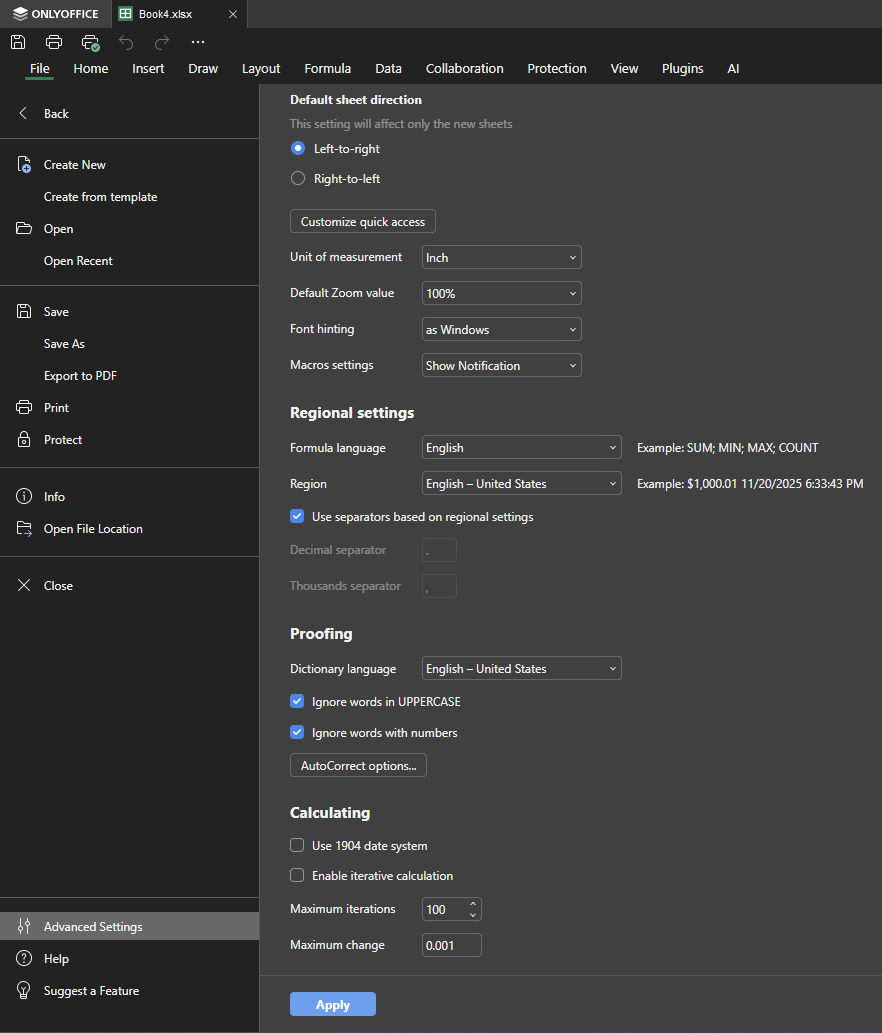
File → Advanced Settings → Regional settings → set Locale to German (Germany) or any other €-country.
Save → reopen the file → the currency symbol in the number-format dialog will now be €.
Let me know if that works for you!
Thank you for the reply!
The regional settings tab seems to only exist in the spreadsheet application, not in the document editor, which is where my problem occurs.
The interface language trick did not change anything unfortunately.
Thing is, i can manually change the $ in my posted image to € and then the formula is shown as €. However I cannot figure out how to change the formula with all the ### and 000 to show me the result how i want it to be. Any ideas still? 
Hey @fiesemoepp,
Sorry for losing track of your thread earlier — my bad!
I’ve recorded a short video showing a potential workaround for setting the € currency format in table formulas within the Document Editor (attached to this message). Could you please take a look and let me know if this works for you?
Thanks for your patience!