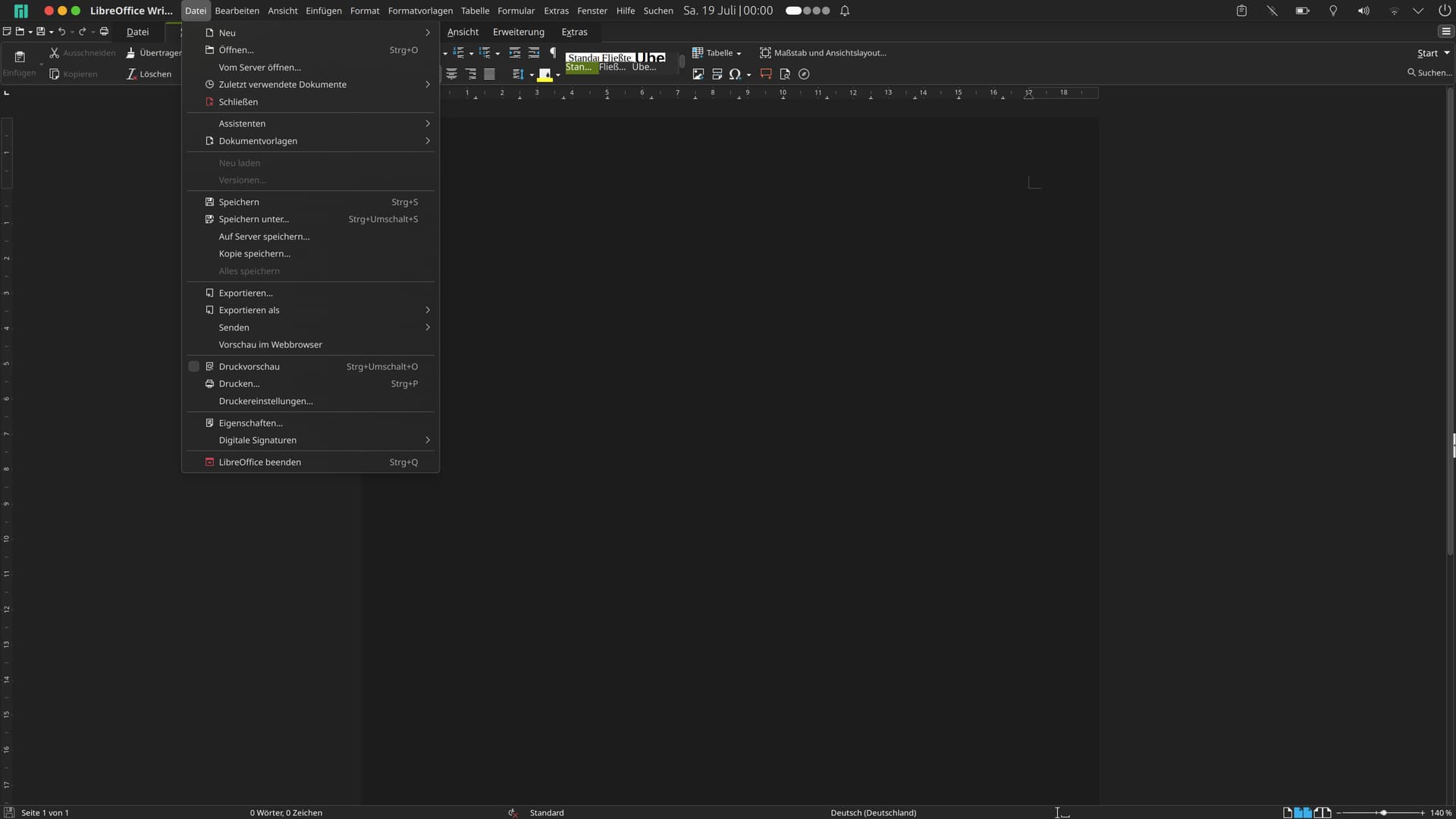
Is there a way to tweak the look of the titlebar (close, minimize , maximize buttons)?
On Linux the look of titlebar is rather problematic - as Windows style is used (it doesn’t have its own, separate style as MacOS version has.) it looks really off. Would love to get through an extra hoop to make it look better .
Thank you for the answer - that’s a shame. So just to make it straight - there’s no way I could for example swap the images used for close / minimize / maximize window buttons? They are the most annoying offenders, the colors are ok.
If you have any ideas how could I contribute to help in making OnlyOffice look better under Linux plz let me know.
Hello @JPS
Yes, you can use this flag Running Desktop Editors with parameters
This is an old thread, there wasn’t confirmed documentation back in the days.
It’s related to system window.
if the global menu will be used by OnlyOffice it would be really great
Could you please elaborate on this idea? If it’s possible, make a screenshots\draw a scheme of desired behavior.
This is how the global menu looks on LibreOffice.
The KDE module is part of Plasma and the module is maintained by Kai Uwe Broulik kde[at]privat.broulik.de, if it helps!?
Hello @JPS
Sorry to bother you again.
To sum it up: the --system-title-bar key works, but do you need the same upper toolbar menu as it persists in LibreOffice?
thanks for your reply and question about the global menu.
I don’t “need” the same menu as in LibreOffice because the design concept in OnlyOffice is different from LibreOffice.
OnlyOffice has the ribbons “menu” which is located in the application window.
Nonetheless perhaps there is a new perspective to gain more screen real estate even with the ribbons concept!?
One thing could be to put the quick-access into the global menu position…!?
Or to put the ribbon menu-entries in to the global menu position and the ribbons in the window…!?
Hello @JPS
Understood, unfortunately, such logic of using the desktop app wasn’t planned, and there’s currently no way to achieve it. I’ll keep this thread open, and perhaps we will return to it in the future for a more detailed discussion.
 .
.