ONLYOFFICE Mobile: Documents / spreadsheets
Do you want to: Report a bug
Device: Pixel 6
OS version: Android v16
App version: 9.1.0
Mode: On Device
There are two visual bugs that occur only on mobile:
- On first launch, there is a visual mismatch between the cell you have selected and what is shown on the screen
- Editing a cell often shows blank field, despite having information inside.
bug with “floating” cell selection
Open any spreadsheet file, e.g. the default available spreadsheet when you install the app, “ONLYOFFICE Sample Spreadsheet.xslx”.
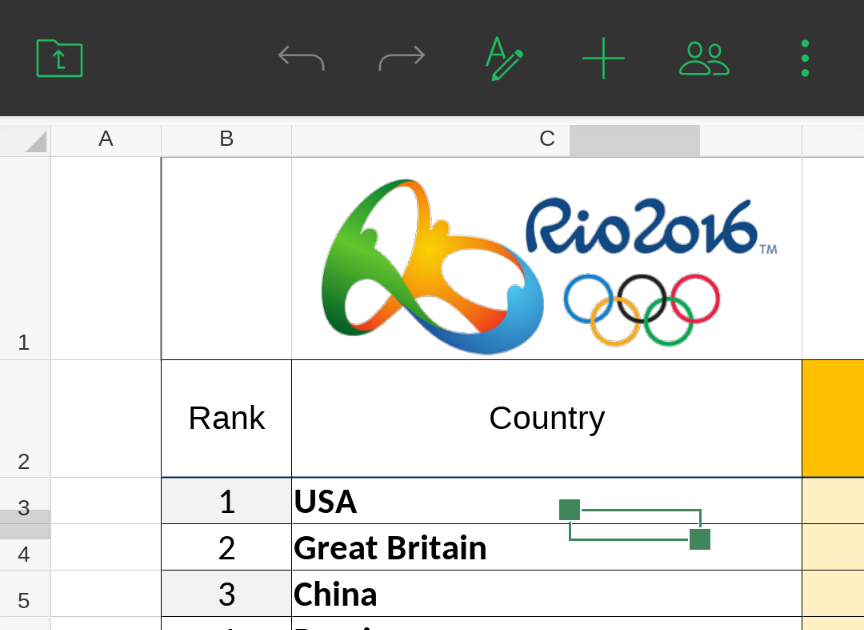
Next, tap on a cell and the file will show a selection that is, for lack of better wording, “in the middle of nowhere”. E.g. I tried to select cell C4 in the sample spreadsheet (“Great Britain”), but it shows as selected a cell floating “in the air”:
From a sample file in another posting, I note the same sort of thing, here I try to select C2:
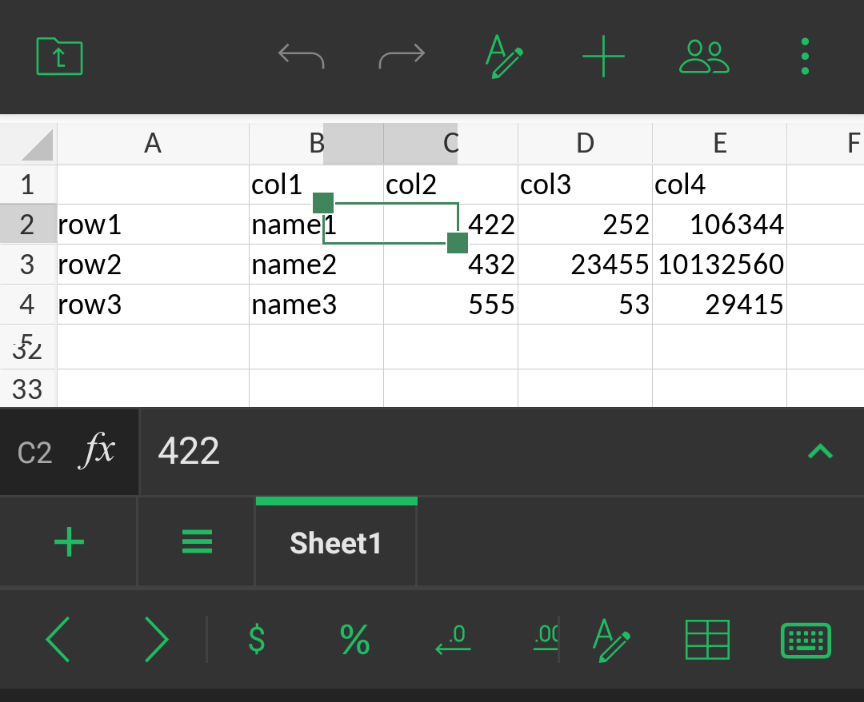
Note that, at the bottom of the screen, it shows that in fact C2 is somehow selected and shows the contents of that cell (“422”), but visually the cell that is shown as selected is “in the air” between B2 and C2 in a location that doesn’t exist.
You can then keep trying to select other cells, and it will always just show visually some “floating in the air” cell, and not the cell you are actually trying to select.
I discovered that you can make the spreadsheet show what you expect by doing one of the following:
- switch to another sheet within the same spreadsheet, then switch back
- create a new sheet, then switch back
- pinch to zoom in, or pinch to zoom out
Doing any of the above, and then tapping cells results in the actual cell being shown, not some “floating cell”.
bug with empty cell shown when editing
Often when editing a cell’s contents, the contents are not shown in the “edit box”.
I use the same reference file as mentioned above.
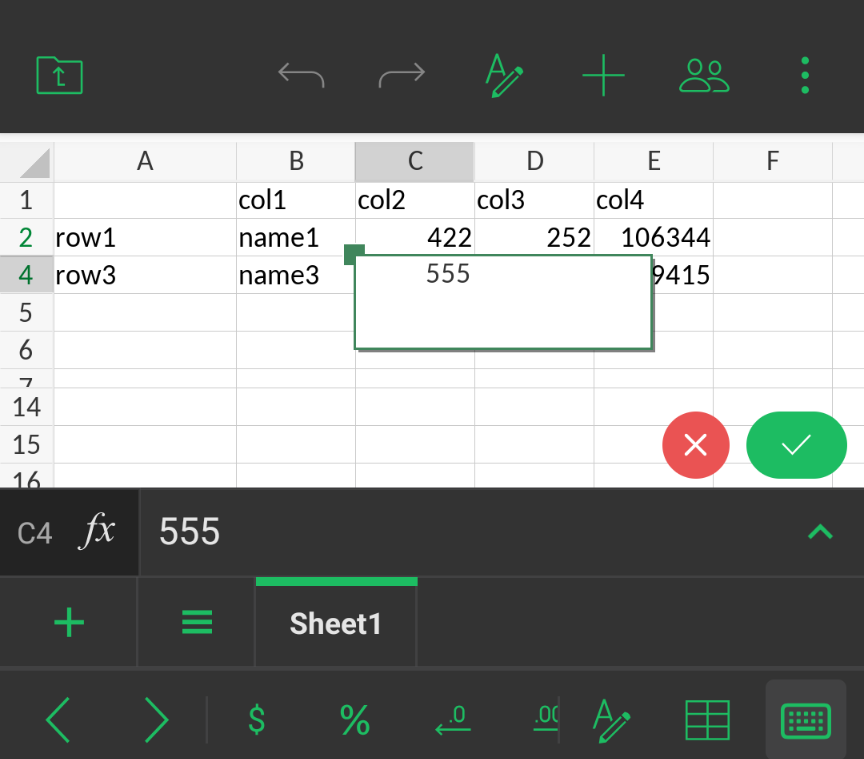
Double-tap any cell to start editing, e.g. in the reference file, cell C3 contains value 555. This is how editing it should look when working properly:
And sometimes that’s what you get. But my experience is either that doesn’t happen, or if you select the cell a second time, or another cell, then you are shown an empty “edit box”:
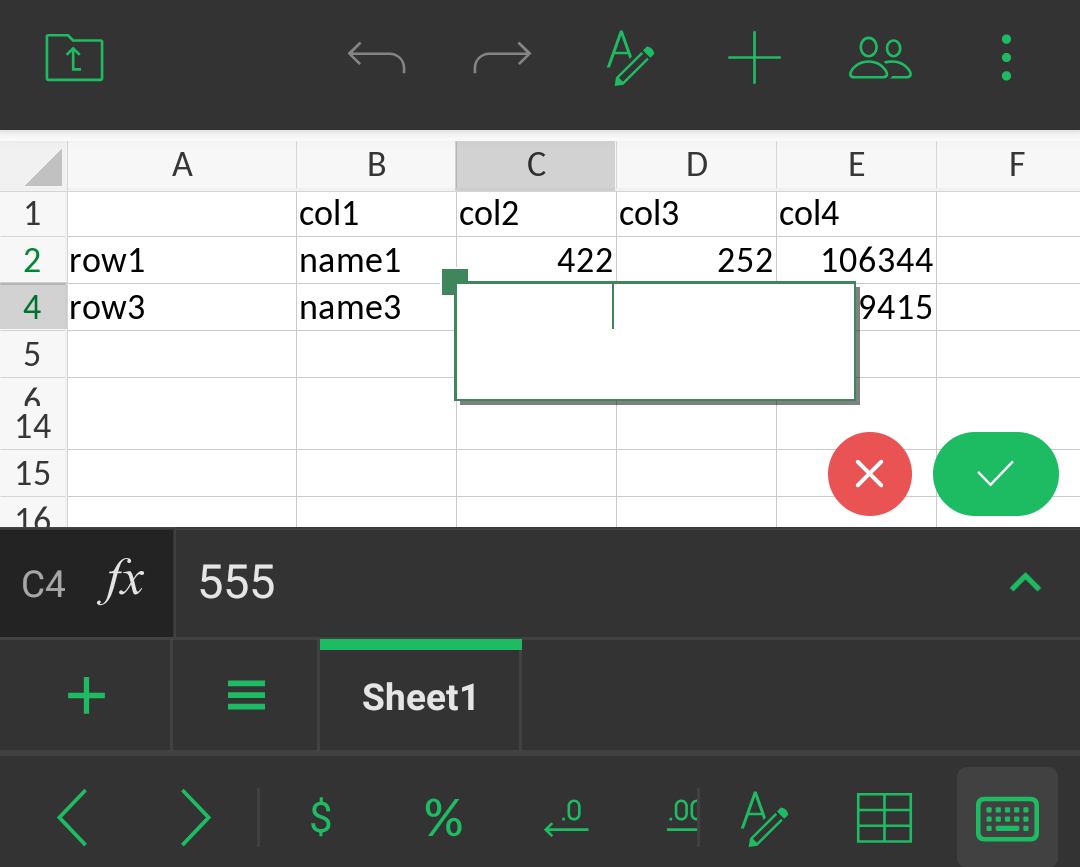
But as you can see at the bottom of the screen, the value is there (555), but it simply doesn’t show it visually in the “edit box” (like the font has changed from black to white).
A workaround for this, a bit similar to the prior bug, is if I pinch to zoom in or out, then try to edit a cell, it will show the contents. But then trying to edit again (without zooming again), it will again show it blank in the edit box.
I hope the above is in sufficient detail to troubleshoot. While these are not the most serious of bugs, they do degrade the user experience somewhat.
The example file I referred to above from another post can be found here:
filter_comment.xlsx (11.9 KB)
The “ONLYOFFICE Sample Spreadsheet.xslx” file is the same one that the application installs by default on your phone, used without any edits applied.