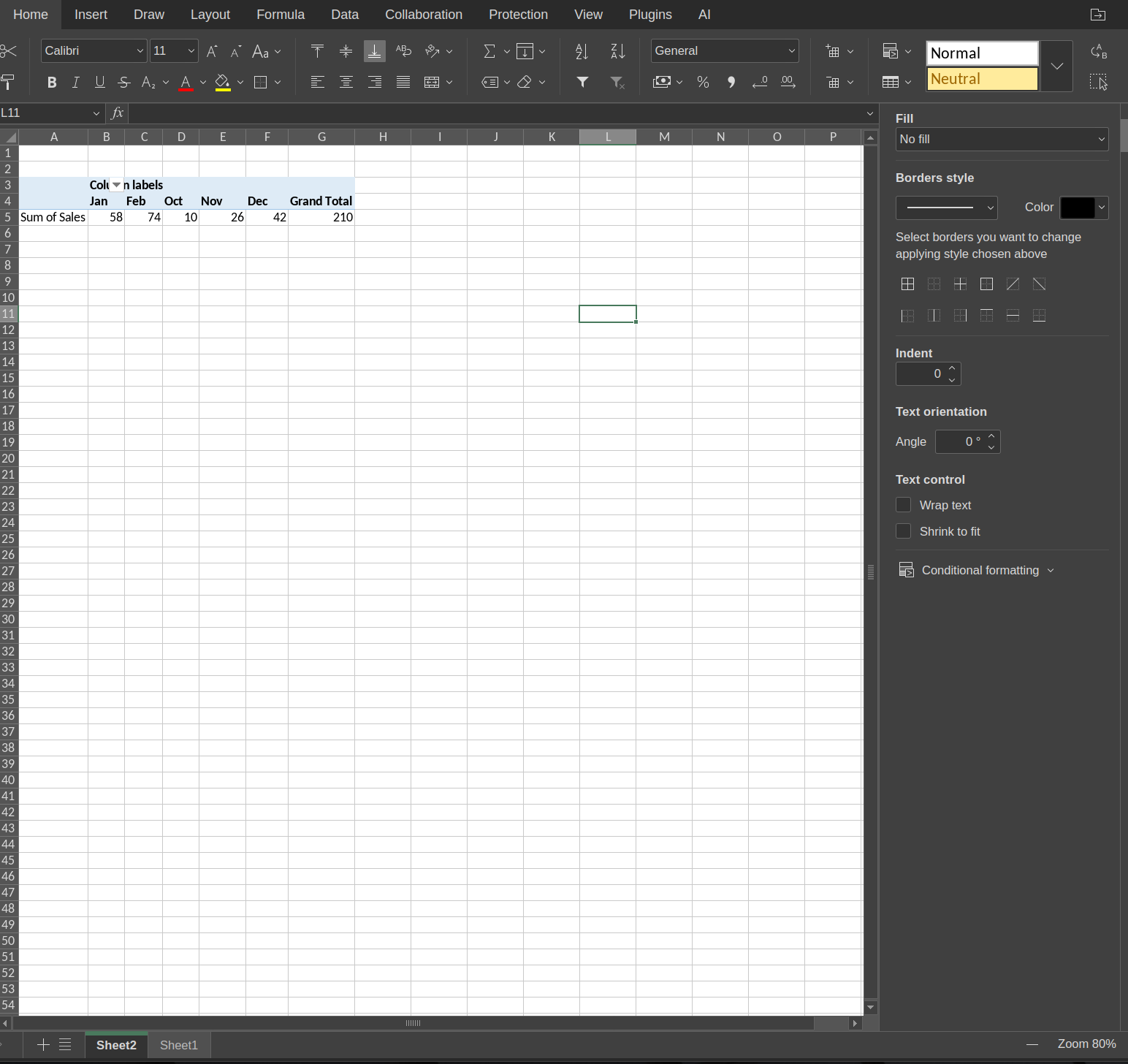
In pivot tables, when the date is grouped by month and in the colums, the year is not respected in the order.
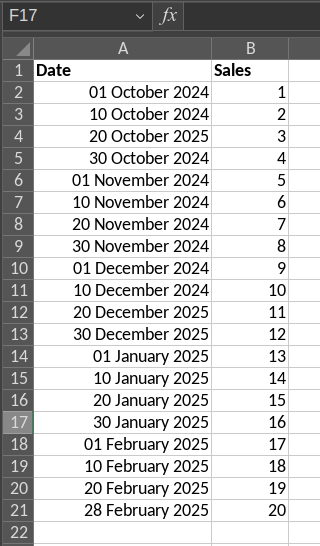
For example, I have the months Oct24, Nov24, Dec24, Jan25, Feb25. The pivot table sorts the columns as Jan, Feb, Oct, Nov, Dec although Oct, Nov, Dec, Jan, Feb would be the correct order.
Here is the data
Here is the pivot table.
Book1.xlsx (13.5 KB)
Furthermore, I believe that if one has data that spans over several years, all the months (e.g. Jan23, Jan24, Jan25) are lumped together in the same “Jan” column. I believe that the year number is not respected at all.
V9.04 deb desktop editors
Hello,
We’ve successfully tested the scenario on ONLYOFFICE Desktop Editors 9.1 and Microsoft Office 2024, and we found the same consistent behavior you described:
- If you only group the Date field by Months (without Years), both applications default to sorting the months (Jan, Feb, Mar, etc.), as the year context is ignored.
- When you group by both Years and Months, the chronological order is correctly maintained (e.g., 2024 Oct, 2024 Nov, 2025 Jan, etc.).
It seems the issue in the initial thread might have been related to the specific grouping combination used. When grouped correctly by Years and Months, the behavior appears to be as expected in both spreadsheet programs.
I’ll attach a screen recording demonstrating this grouping and sorting behavior for clarity. Please take a look.
SOLVED!
I did not know that using CTRL and clicking Month and Year in the Group menu, that this would create a filter that filters for years and months in correct order. This solves it perfectly!
This also works flawlessly in v9.0.4 deb.
1 Like