Your suggestion has been added. (View > Zoom > Multiple Pages)
Unfortunately, at the moment, there are no specific timelines for implementing this feature.
@ToxyLT, @Torsten, I’m sorry, but I seem to be missing the difference. Can you elaborate or share any examples of what you are referring to as “Book View”?
As far as I know, there is no such dedicated type of viewer within the most popular document processing apps.
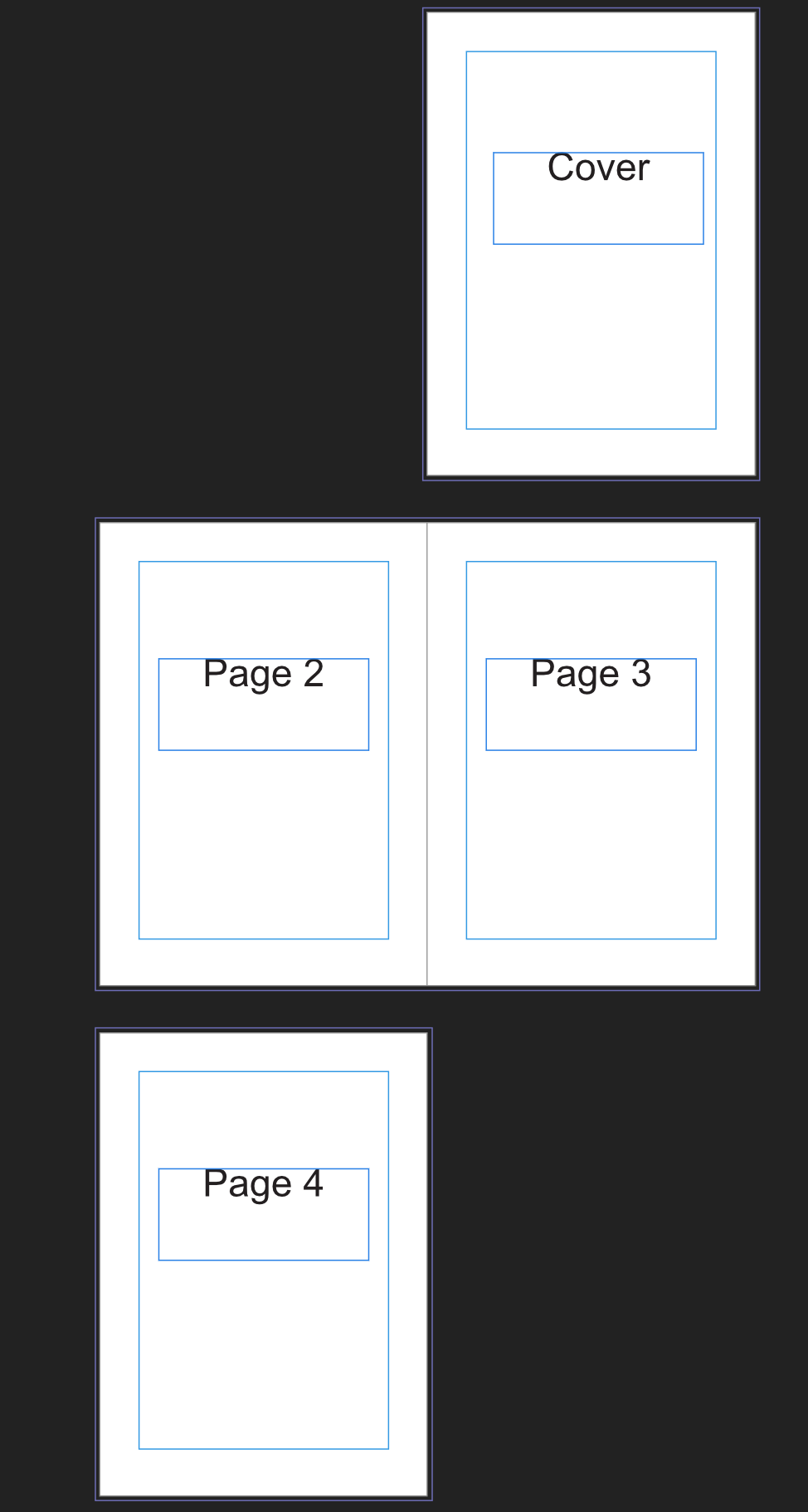
A book layout shows exactly 2 Pages in a row, while the first row only shows a single page positioned to the right.
Exactly as if you where reading a book. The cover goes on the right side and once you open a book, you see both pages.
If you want to print a file later and need to check if headers are aligned, you can check this using the book-layout.
What you did is “show as many pages as you can in a row”. Useful too, but a different szenario.
In Word you can have the book view in Print Preview. You can even edit the document in this view with the feature PrintPreviewEditMode ( put in in your quick access toolbar).
In Libre Office you can select book view via the status bar at the bottom next to the zoom slider and via the view menu.
@Nikolas,
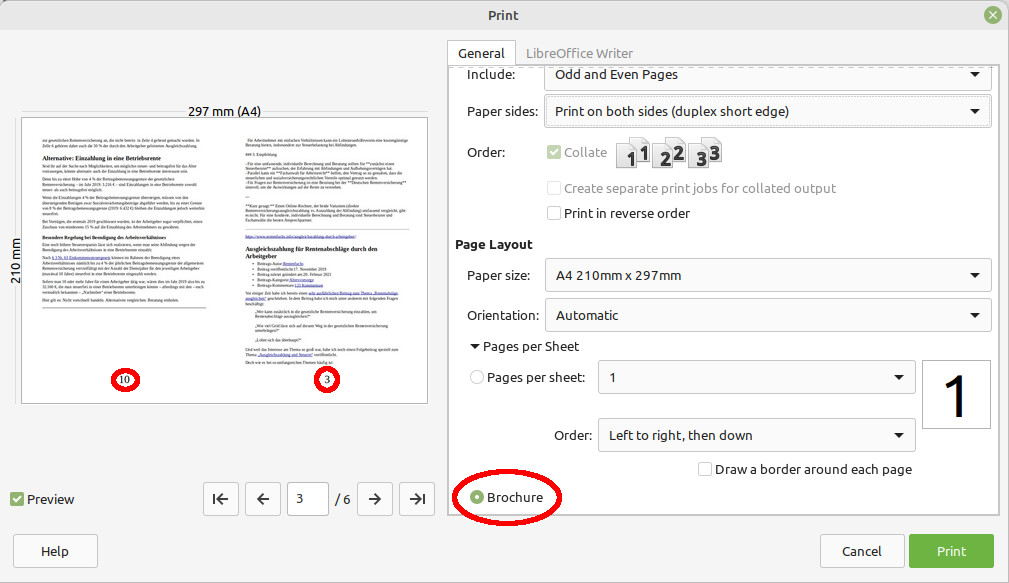
no, I think that is something completely different. Your MS Word example refers to printing a booklet on your home printer. 4 pages are printed on the back and front of a DIN A4 sheet. They are sorted in such a way that you can fold them and bind them in the middle. In the moment I have no access to word, but I attach a screen shot of Libre Office with this printing option.
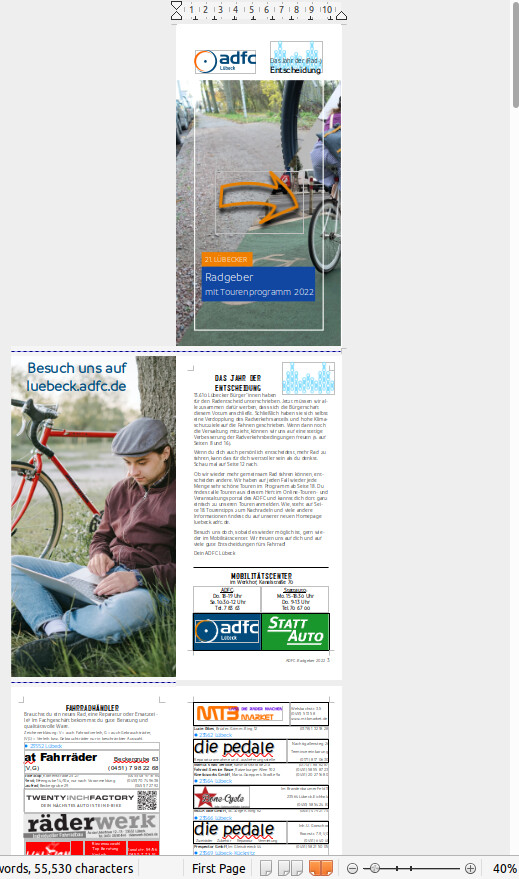
@Torsten explained, what is really meant. In Libre Office you can choose this view in the Status bar. Please try it out (Libre Office is free) with a multipage document with page numbers and you will see what happens.
status bar of Libre Office:
Example of book view in Libre Office:
Thanks a lot to both of you for the clear explanations and screenshots — now I fully understand what you mean by “book view”.
I’ve passed your request (with all the details and images) to the team. I’ll keep you updated here as soon as there’s any progress.
I can’t promise it’ll land in the very next releases, but the idea is now on their radar — thank you again for the great feedback!
I’ve added your suggestions (with all the details and images) to the existing suggestion (internal number 80644). The more users who comment or upvote there, the higher it climbs on the priority list — so if anyone else reading this wants “book view”, feel free to chime in on the GitHub issue or here!
As soon as the feature lands in a release, I’ll post an update right in this thread.
Thanks to everyone for the great feedback — really appreciate it!