How to select the Arabic fonts in the DOC file, I am trying to work on on-prem officeonly but the arabic fonts are not working fine, can anybody give a solution how I can install the arabic fonts in onlyoffice, i am using the zimbra email server and using the collaboration suite as onlyoffice
the environment is running on Zimbra Email Server, whenever I open Briefcase the document is not opening from left to right for arabic - if anyone know the solution please provide it
Hello @sujit2026
Please refer to the fonts installation guide: Adding new fonts to ONLYOFFICE Docs
thanks for the email, but the problem of mine is different, we have the Zimbra Email server and inside their onlyoffice 8.3.1 is running, so when we try to right on Arabic it is coming from left to right and usually the arabic in standard the typing should start from Right to left, so when the user opens in Zimbra Email and click on any document he can see the arabic from left to right and arabic is not coming correctly, the fonts are not properly installed in server or any other issue which I don’t know for that only help is required - if you have solution please revert back
Hi,
I am using linux as my OS and run onlyOffice as desktop version. I have several Arabic fonts installed, but none shows up in Arabic letters. How can I write in an English essay an Arabic quotation?
@sujit2026, please note that you are using outdated version of Document Server. Many improvements have been made past this version in regard of RTL support. Please update your instance and check the situation again.
Hello @BrotherGo
You can switch direction of a paragraph from Home toolbar with Text direction option. As for the fonts, please clarify - do I understand correctly that your fonts are not available in fonts list?
No, I can chose various Fonts that are Arabic, but they only show as Latin letters. There needs to be some feature activated that will show the Arabic. But I don’t find that.
Yes, I can see that there is an update though I do not use an old version. Let’s see what the newer version brings. Thank you.
My version is now 9.2 and I can write from right to left but still no Arabic letters. Maybe it is somewhere in Linux where I have to define that possibility?
Thanks for the reply. Do you have a keyboard with any Arabic language layout? I seem to be misunderstanding the query.
Where do you expect to see Arabic letters? Can you provide a screenshot or a video demonstration of the issue?
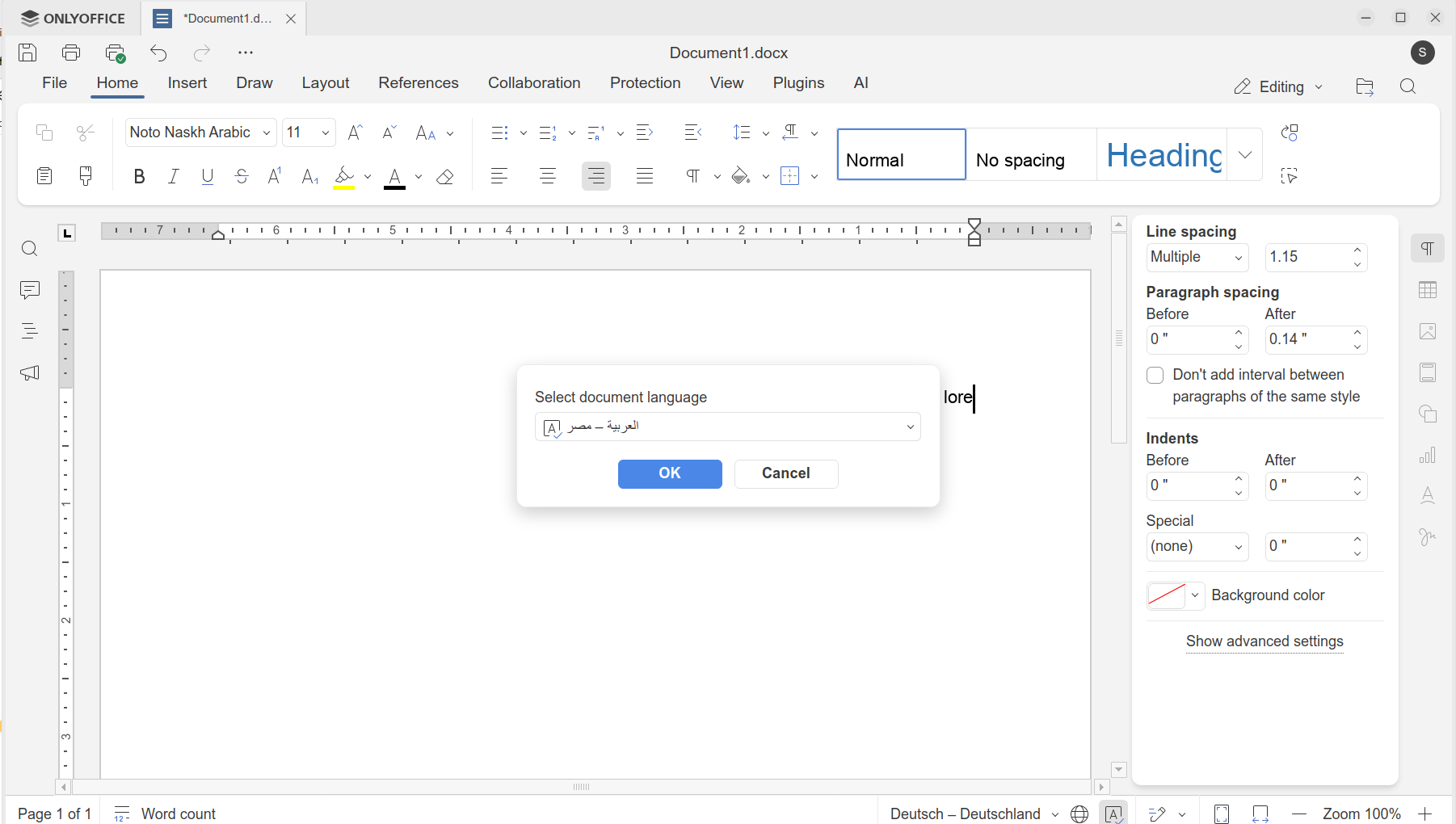
On the screenshot you see
fond is Noto Naskh Arabic
document language is Egyptian Arabic
text language is German
whenever I change the textlanguage into Arabic, it turns automatically back to German as soon as I start typing
I need to be able to write a document in English and put in Arabic words or Hebrew words
Can you provide a video recording of this behavior? Do you simply change the spell-checker on bottom toolbar? Also, please let me know version of Desktop Editors/Docs that is being used. If you are using Linux, please specify distribution too.
Now, I apologize for bothering you. I had not thought of installing an Arabic keyboard. Once I did, I could write in Arabic. But thank you very much that you kept asking and made me think. Thank you as well, for your patience.
1 Like