Hello @Alexandre
I will check if the problem occurs in version 9.1 and report back.
LINE WORKS is a self-hosted document server. Its mechanism is likely different from that of an application, but I am reporting it just in case. If this information is not useful, please ignore it.
Dear @nishigaki
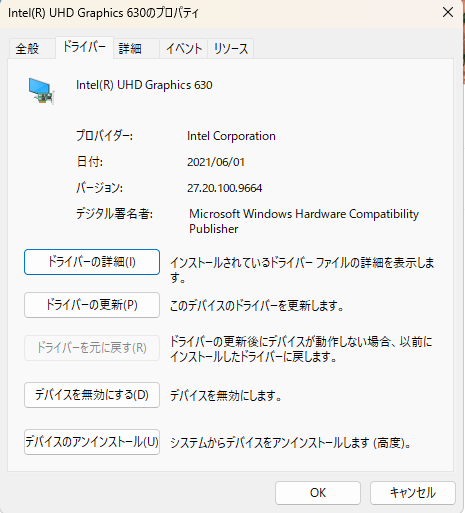
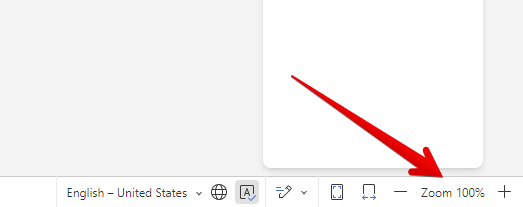
Please let us know your video driver version. Also, if you change the built-in scale of the document, does the text display?
Hello @Alexandre
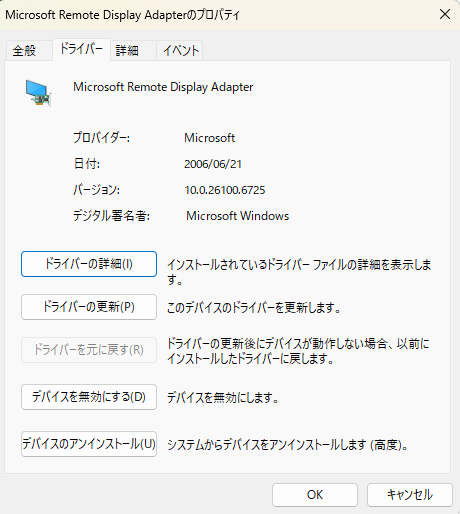
I’m using MS Remote Desktop. The video drivers of server are
Sorry, I don’t understand “the built-in scale of the document”. How can I change it.
Hello @Alexandre
It occurs on the v9.1.0.167 (x64 exe).
Sorry, if I was unclear. I meant this tool:
Dear @nishigaki
Please update your video drivers: https://www.intel.com/content/www/us/en/support/articles/000090440/graphics.html
Also please clarify if you’re using the Desktop app via RDP (remote desktop connection) from different device.
Thanks @Alexandre
I understand, so I’ll try “the built-in scale of the document”.
Hello @Alexandre
Sorry for not telling you that I was using RDP.
After trying “the built-in scale of the document”, I will try updating the video driver.
Thank you, please keep us posted.
Hello @Alexandre
I had an issue where the text would disappear, so I changed the built-in scale of the document and the text appeared.
Hello @nishigaki
Thank you!
Have you had a chance to update video drivers and check whether the issue changes?
Hello @Alexandre
Not yet. But first, can I update the driver from the properties dialog?
And should I update the Intel UHD Graphics 630 or the Microsoft Remote Display Adapter?
Hello @nishigaki
It’s all up to you, you can update the drivers either way.
It worth updating drivers in general.
Thanks @Constantine
I’ll try it and report the results.
1 Like
Hello @Constantine
I tried the Intel Driver & Support Assistant.
Microsoft Remote Display Adapter version was not changed.
Intel(R) UHD Graphics 630 version was changed from 27.20.100.9664 (2021/06/01) to 31.0.101.2115 (2022/11/16).
But this problem occurred.
Thank you @nishigaki
We’re looking into it.
Dear @nishigaki
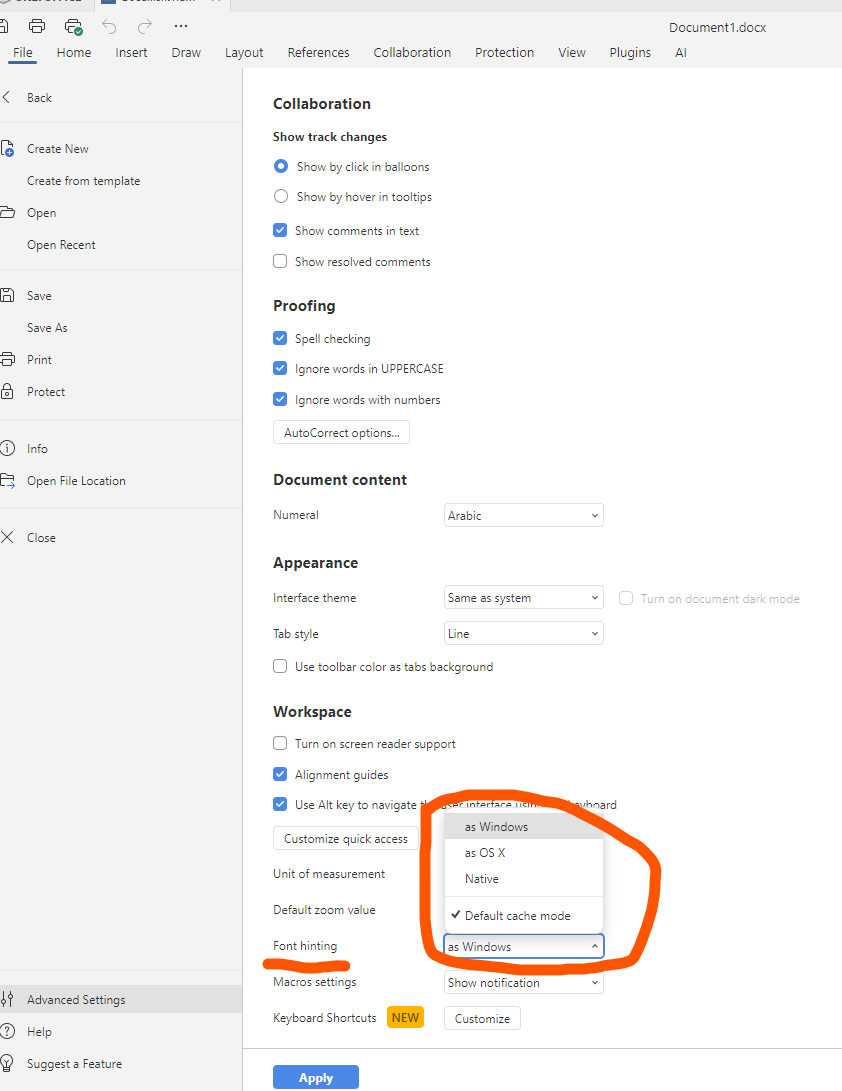
It seems that the situation is related to using the app via the RDP. However, please try to check different ‘Font hitting’ settings and let us know if it affects the situation.
Hello @Alexandre
I’ll give it some time to try.
2 Likes
Hello @Alexandre
I’ve tried all the font hinting settings:
as Windows, Default Cache mode = On/Off
as OSX, Default Cache mode = On/Off
Native, Default Cache mode = On/Off
In both settings, this issue occurred with spreadsheet, document, and PDF file formats.
Thank you! We’re looking into it.