After using Desktop Editors for several days, characters are no longer displayed correctly

I use
ONLYOFFICE: desktop editors: 9.0.4.50 (x64 exe)
OS: windows 10 Pro 22H2

After using Desktop Editors for several days, the text in the spreadsheet appears as a rectangle.
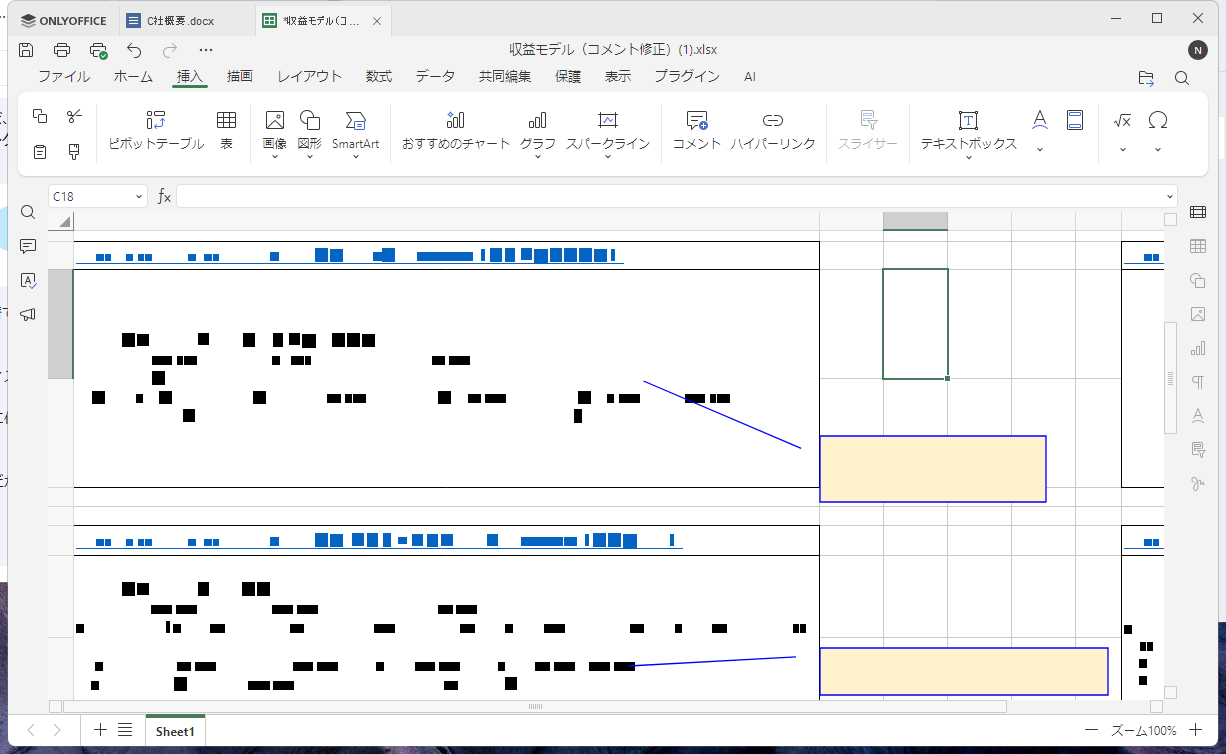
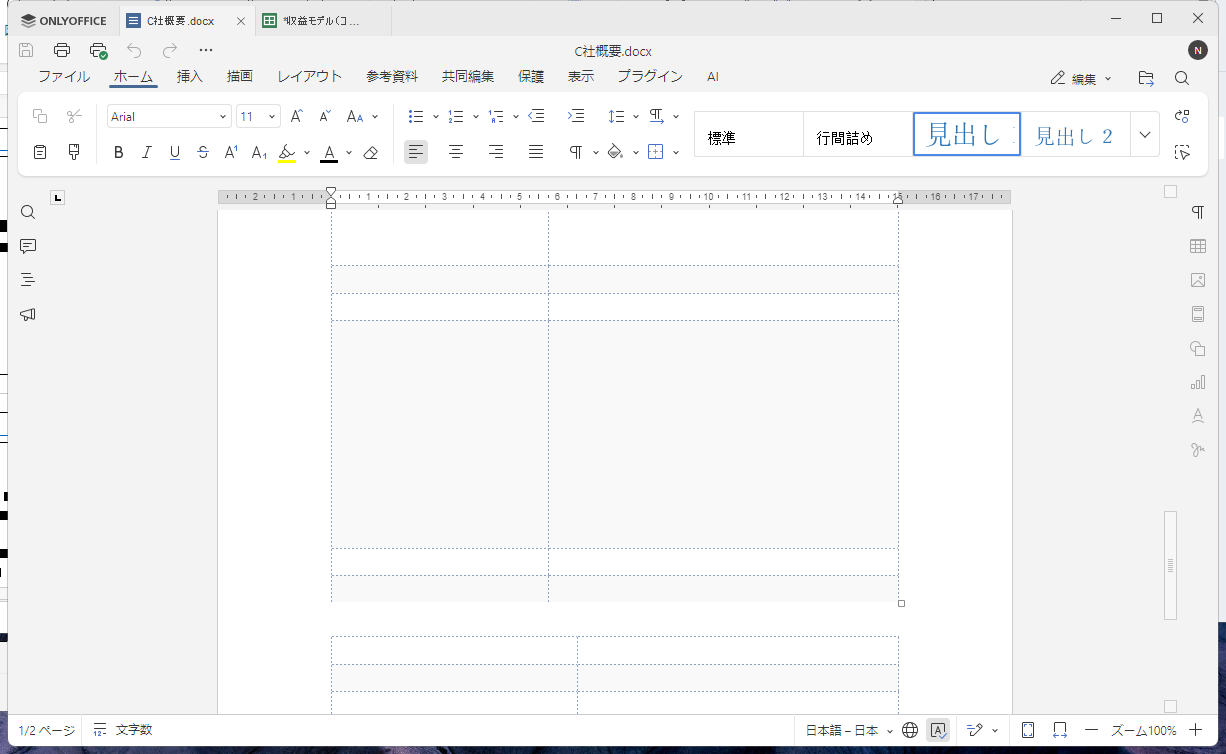
Also, the text in the table in the document disappears.

Hello @nishigaki

Do you mean that the editor was never closed during that period?

Hello @Constantine

The application was not closed, the two tabs in the pictures were still open, and I opened and closed several other tabs.

Just to clarify my understanding – all tabs were opened for several days, but only two of them (on screenshots) became looking like that, is that correct? I’d like to understand the tabs management for these days to reproduce the issue. As of now, the scenario is not quite clear.

By the way, was your device in standby mode (sleeping) in that period?

Hello @Constantine
The device is always powered on.
The two tabs have been open for over two days. I’ve opened and closed several other files over the course of several days.

The conditions that have occurred in the past are as follows:
  1. Editing 2 to 10 files at the same time.
  2. Occurred after using it several days.
  3. All the text on all tabs disappears.
  4. If I open another file, the characters are not displayed.

Thank you. Were those two tabs actively used in following days?

Thanks.
I don’t actively use these two tabs, but at other times I’ve had this issue with relatively new tabs as well.

As of now, I did not manage to reproduce this issue. is there any particular pattern? I left my device for a night (assume it went to standby or sleep mode), but everything is fine so far.

By the way, what is your device? Is it a laptop or a desktop PC? What are the specs? What GPU acceleration does it use, i.e. integrated or discrete?

They are as follows:
power setting: standby=off, sleep=off
PC type: desktop
cpu: Intel i3-9100
ram: 12GB
gpu type: integrated

No luck so far even without sleep mode or standby. Do you use any custom font in Desktop Editors for the files on originally provided screenshots? I can see Arial on the toolbar with document editor, is it the font for both screenshots?

Maybe I’d be easier to reproduce with a sample file, can you share, for instance, the spreadsheet from a screenshot? By the way, has the issue recurred since topic creation?

Hello @Constantine

These files don’t contain custom font and do contain the fonts Arial, Calibri, and MSゴシック.

Two files cannot be provided as they contain sensitive information. It’s happening several times a month with a variety of files and seems to happen with any file.

It happened several days ago. A new finding is that fonts in additional files opened after the issue occurs may be displayed correctly.

Hello @Constantine

I took a video. ONLYOFFICE
The text is displayed on the second tab, but the text and the scale at the top are not displayed on the third tab.
When I selected and highlighted the text on the third tab, the text was displayed. The scale at the top remains hidden.

Hello @nishigaki
If you don’t mind I will join this thread as well.
Please go to the app’s Settings and check ‘Interface scaling’ and graphics acceleration options:

What parameters are currently set for them? Please try changing these settings and check the result (first of all, try to disable the acceleration for checks).

Thanks @Alexandre

My settings are:
Interface scaring = Auto
Use graphics acceleration available = On

I’ll try acceleration = Off for a few weeks.

Thank you, please let us know the result.

Hello @Alexandre

I tried disabling acceleration for about two weeks, but the problem still occurred.

This time, I was editing some files in Desktop Editors, and when I tried to open three files at the same time, a dump error occurred and Desktop Editors is closed.
After that, I opened three files in the Desktop Editors, and after a few minutes, characters started displaying incorrectly.

Hello @nishigaki
Thank you for the provided data, we’re checking the situation.

Hello @Alexandre

I enabled acceleration again and the problem occurred after a few days.
The problem seems to occur when acceleration is enabled.
Also, during the two weeks with acceleration disabled, the problem only occurred immediately after the dump.

Hello @Alexandre

Notes.
It also occurred on Docs 9.0.3.29 for LINE WORKS Drive. Drive - LINE WORKS
I’m using Microsoft Edge 141.0.3537.71 .

Hello @nishigaki
Could you please check whether the issue still occurs on the v.9.1?

It also occurred on Docs 9.0.3.29 for LINE WORKS Drive. Drive - LINE WORKS
I’m using Microsoft Edge 141.0.3537.71 .

This comment isn’t clear to me. Do you mean self-hosted Document Server, or you’ve connected Line Works Drive to the desktop app?