Hello @SusannahC
Your request has been collected. We will update this thread once the mentioned feature is released.
I would like to add to this topic the possibility of dd.mm.yyyy format. If written in this form (example: 16.07.2025) it is not recognized as a date by OnlyOffice. I can set the date to be displayed in dd.mm.yyyy format BUT it must be introduced as dd/mm/yyyy in the cell in order to be recognized as a date.
Hello @RTCL
It seems you have slightly different scenario. The suggestion in this thread is related to date format in the comments. For the cells (xlsx files) please check regional settings (File > Advanced settings) and specify the necessary format.
If I misunderstood the request, please clarify it.
1 Like
Hello, it seems the issue doesn’t appear anymore after the latest update. Thank you for your reply.
2 Likes
I was looking for the Dutch date format (dd/mm/yyyy) but couldn’t find it among the available options. It would be great if this format could be added in a future update.
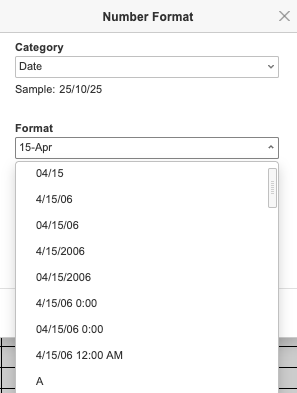
1 Like
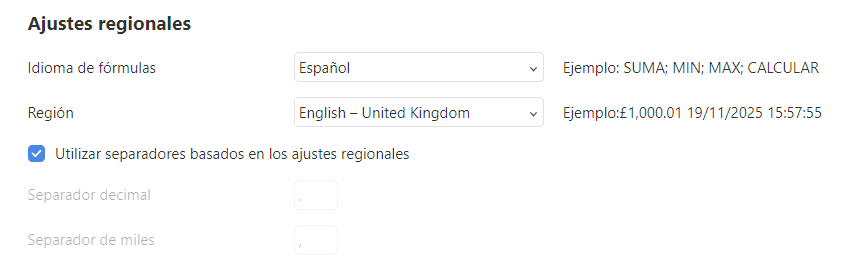
Hola Alexander, encontre tema y yo tengo el mismo problema, pero diriamos que contrario al descrito por cyberjgum, soy de Perú y acá utilizamos el formato dd/mm/yyyy o dd/mm/yy, al instalar onlyoffice se configura con el español alfabetización intenacional, yo he tenido que cambiar la región por la de English - United Kingdom, tal como se muestra en la siguiente figura
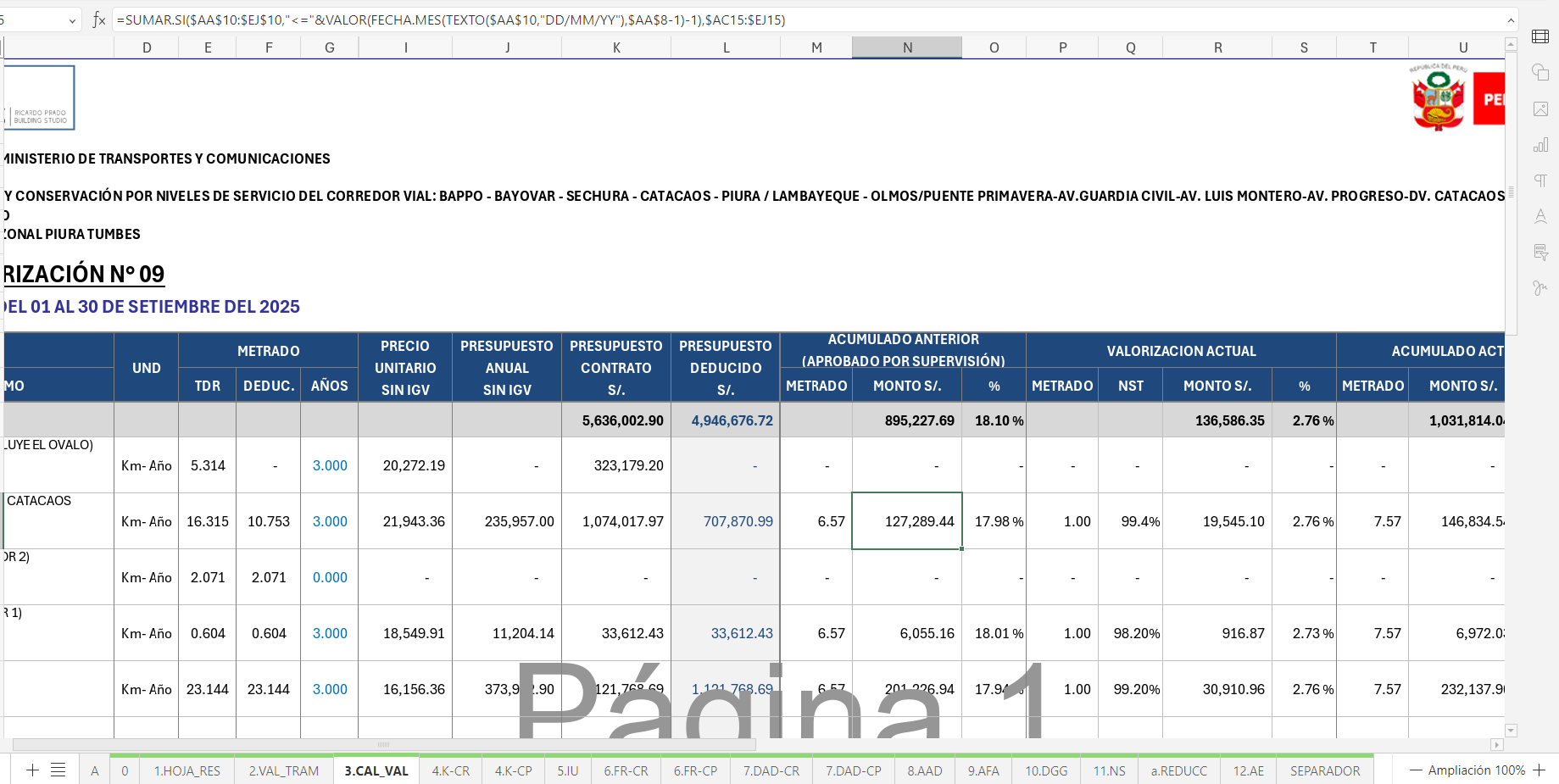
nótese en la fórmula el uso del formato DD/MM/YY, sin embaro esto origina que en otras hojas del mismo archivo los meses se observen en ingles como se ve en la siguiente imagen
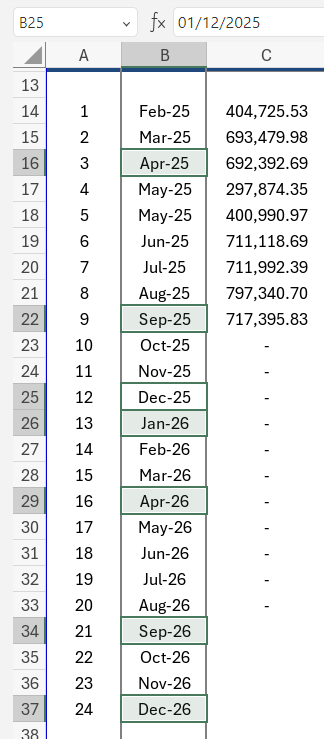
si cambio el ajuste regional a españa alfabetización internacional o a mexico, tengo el siguiente problema (nótese que la fórmula no ha cambiado)
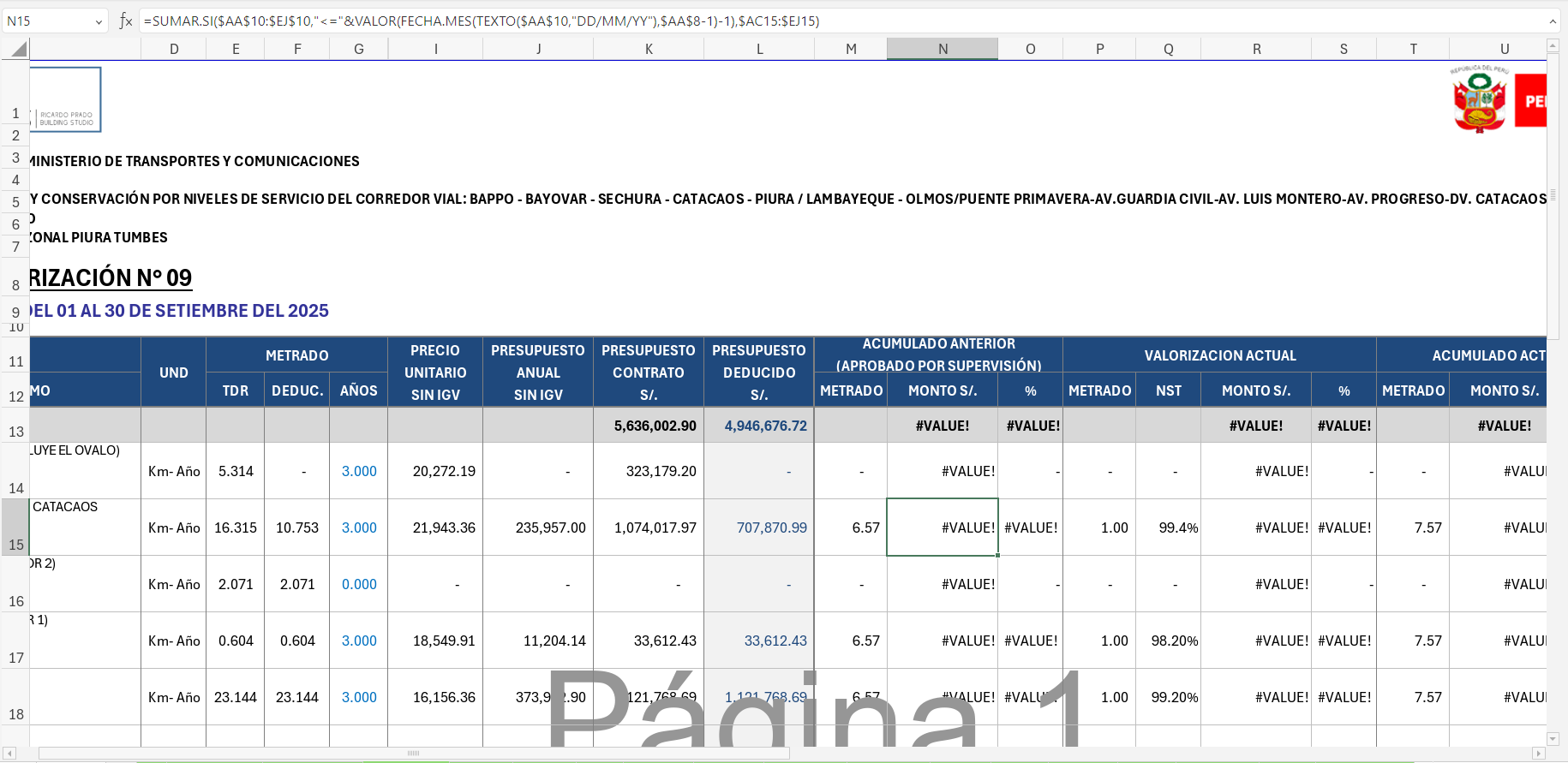
y la fecha se distorsiona como se ve en la siguiente imágen
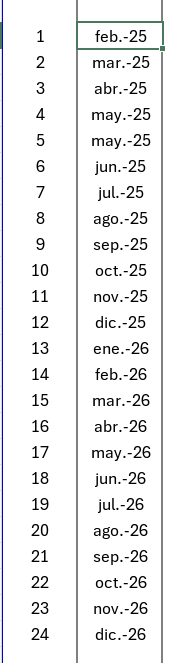
Como verá en la imágen anterior de las fechas se observa la primera letra con mayúscula, no tiene ese punto al final de la palabra Abr-25, May-25, es así como se usa en Perú.
También tengo probelmas con la impresión cuando se escala al 70% o cualquier otro valor que no sea 100%, solo un ejemplo
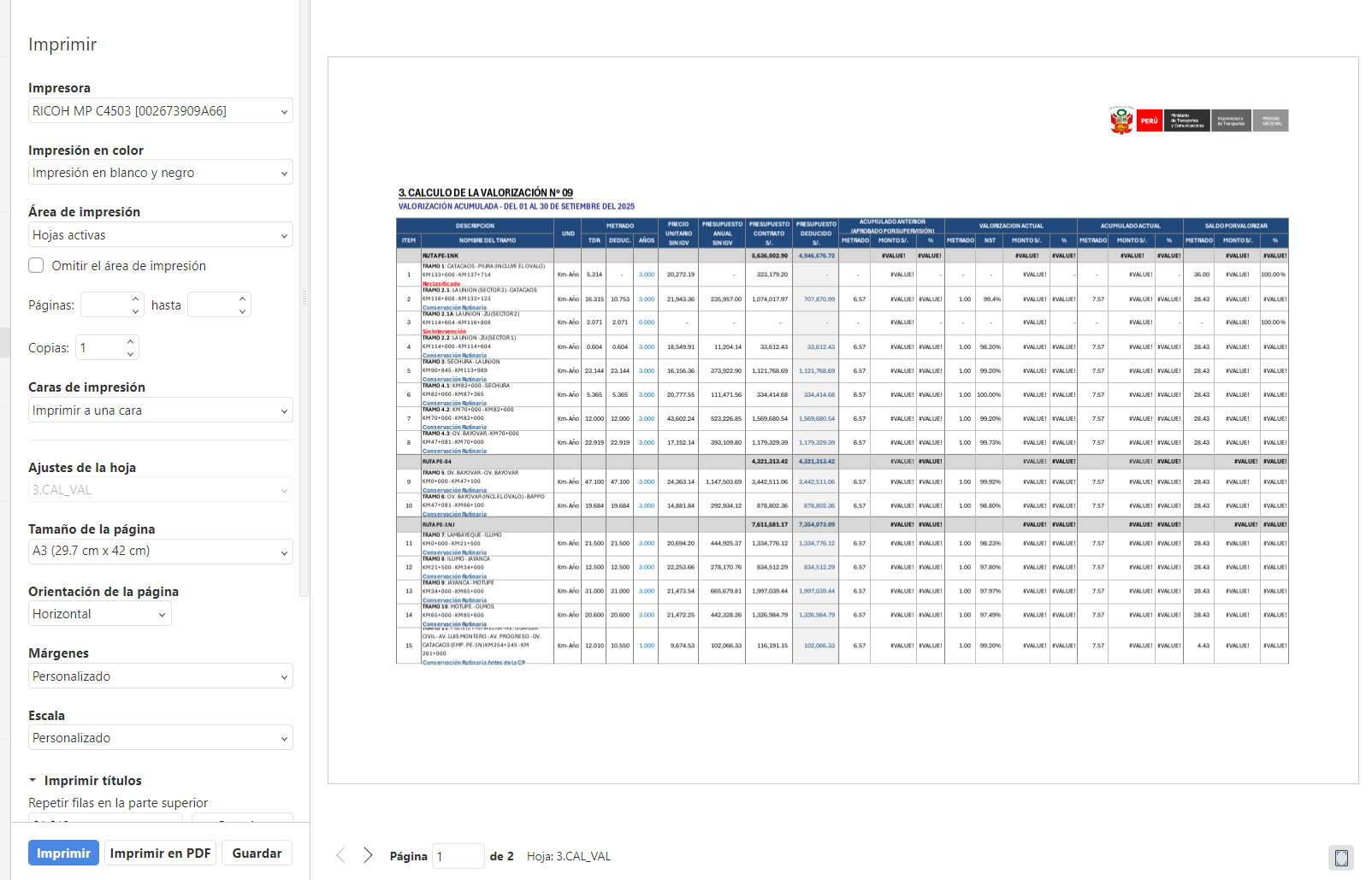
primera hoja correcto
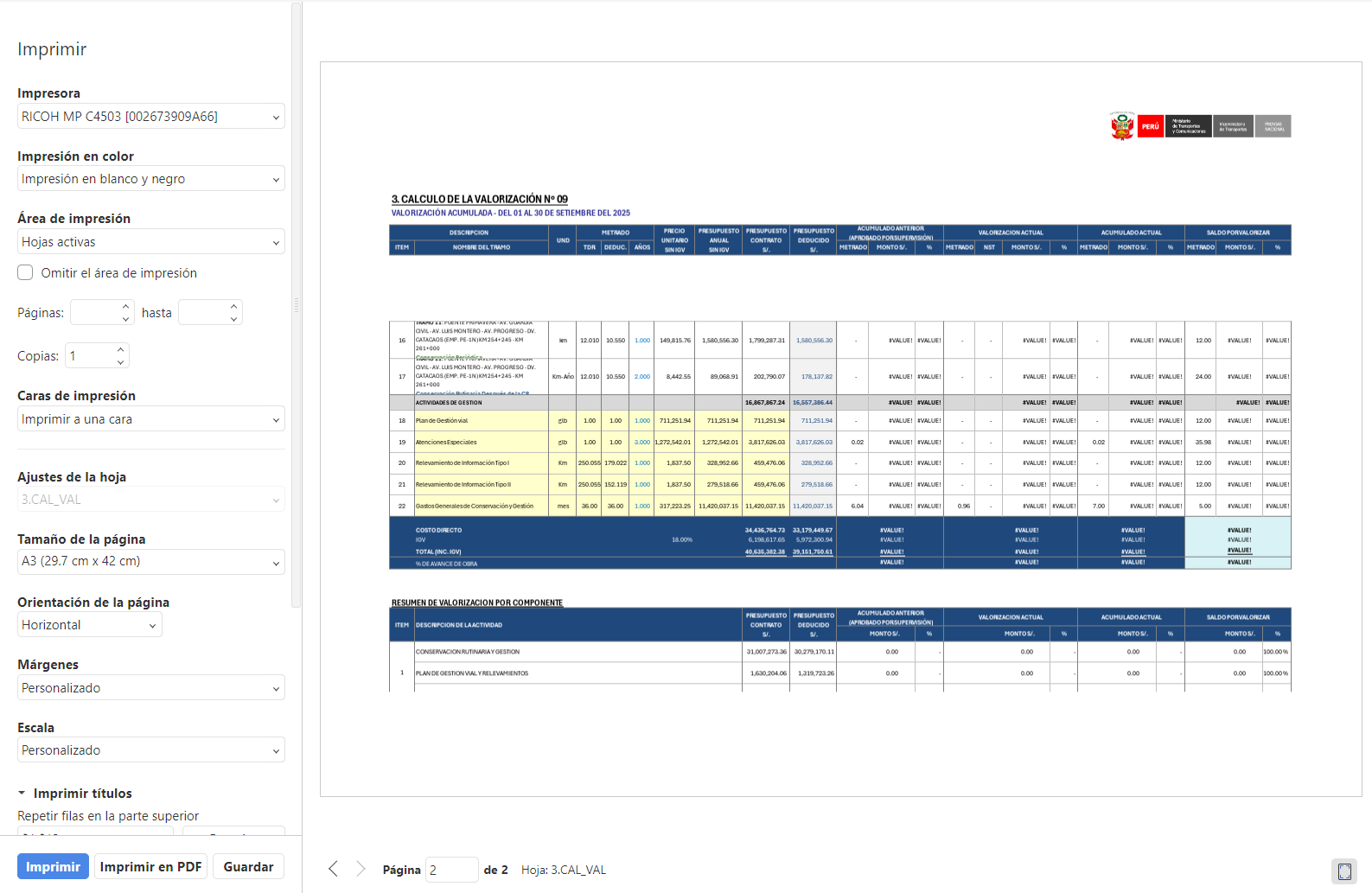
segunda hoja nótese el espacio que hay entre el título y el cuadro, la configuración de impresion está al 70% de tamaño y con repetición de filas
Agradeceré me puedan ayudar con esto
Hello @erooijak
Please check your regional settings (Advanced settings tab) and the app version. There’s necessary date format.
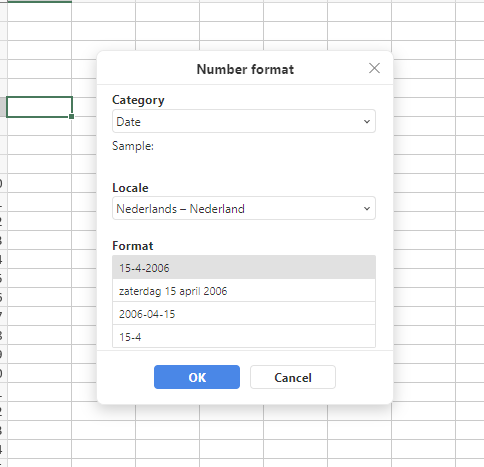
Hello @max_fernandez
Unfortunately, we’re still working on the mentioned date format issue for Spanish. I have added your request to internal tracksystem, and we will contact you once we have something to share.
As for the printing issue, please start a separate thread, we will check it out.
P.S. Please bear in mind that official languages of this forum are English and Chinese.
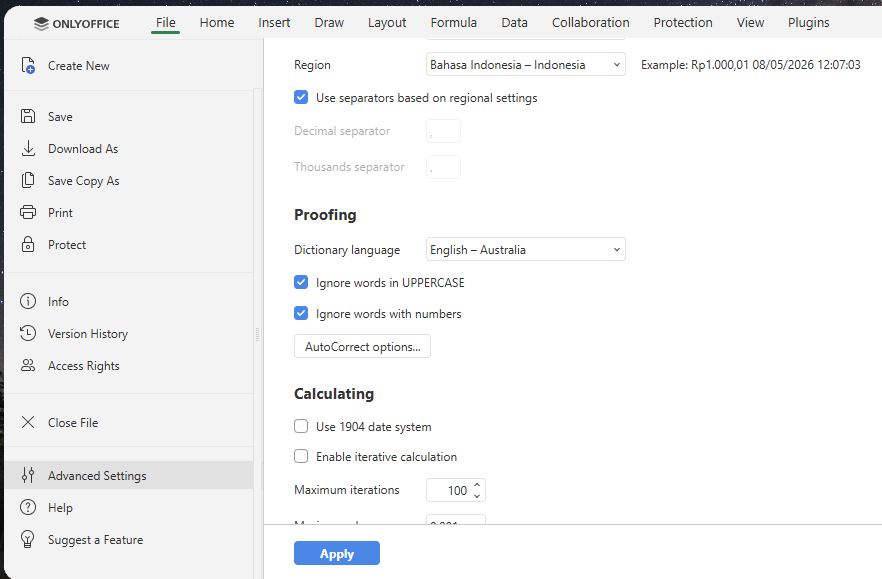
Go to File > Advanced Settings > Reginal Settings > Region…. (select country that using format dd/mm/yyyy, i.e. Indonesia) > Apply.
Then, go Number Format > select format you prefer.
1 Like
Thank you for the guide you have provided @brads
Unfortunately, this thread is related to issues we are currently working on that are connected to regional settings.
We will update the thread once we have more information to share.