Unable to save an .xlsx file in ONLYOFFICE 9.4
Saving an .xlsx file is not possible in ONLYOFFICE 9.4 (x64-9.4.0.129).
Exporting to .ods format also fails.
With versions 9.3 and 9.2, saving works fine.
With version 9.4, if I remove the checkboxes (form objects), saving works.
How can I share the example file ? It’s not possible for new users.
Experience : Windows Feature Experience Pack 1000.26100.18.0
The exact ONLYOFFICE product you are using;
ONLYOFFICE Desktop Editors
Version Community 9.4.0.129 (x64 msi)
The installation type;
Install file : DesktopEditors_x64-9.4.0.129.msi
The application in which the file was originally created;
Microsoft Excel
The exact steps to reproduce the issue;
Open “fichier.xlsx” with ONLYOFFICE Desktop Editors Version Community 9.4.0.129 (x64 msi)
tick a box (circled in red in the Screenshot OO9.4-1.png)
the problem is the same with all the checkboxes
File / Save As … fichier-2.xlsx (Screenshot OO9.4-2.png)
What happens when you save the file, including any error messages;
French message : (Screenshot OO9.4-3.png)
Ce fichier ne peut pas être enregistré ou créé.
Les raisons possibles sont :
Le fichier est en lecture seule.
2 Le fichier est en cours d’édition par d’autres utilisateurs.
Le disque est plein ou corrompu.
translation :
This file cannot be saved or created.
Possible reasons are:
The file is read-only.
The file is being edited by other users.
The disk is full or corrupted.
All these possibilities have been checked. The reason is something else.
If it helps, Gemini AI describe the origin of the problem lika this :
“This is a regression introduced in version 9.4. The new XML validation engine blocks saving whenever form controls (Excel/ActiveX checkboxes) originating from the original file are present.”
Hello @bmfr
If you don’t mind, I will join this thread as well.
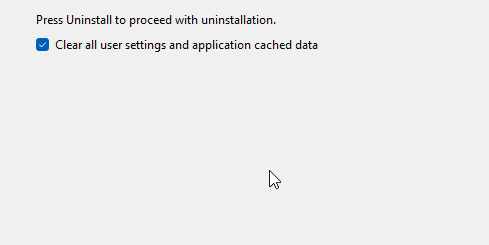
We’re trying to reproduce the scenario, but without luck so far. Could you please try to remove the app and clear the cached data?
I removed the app. there is no option offered to “clear all user settings dans application cached data” during uninstalled.
So after uninstall I did :
Press Windows + R, type %localappdata%, and press Enter.
Locate the folder with the application’s name and delete it.
Repeat the process: press Windows + R, type %appdata%, press Enter . No folder with the application’s name found.
Then I installed the app from the link you gave and choosed “Online installer”.
Installed version is : Version Community 9.4.0.129 (x64 exe)
Thank you for the video and the clean reinstall — very helpful.
We confirmed this issue in version 9.4.0 is related to saving files with Excel form controls (checkboxes). I’ve tested it on the upcoming version and the fix is already in place.
Until then, removing the checkboxes before saving works as a workaround, as you already found.
It’s good to know that a fix is planned for a future version. This is a serious issue: I lost several hours of work because there was no error message warning me that pressing Ctrl+S had not actually saved my changes. I encountered the issue on Debian 13 using OnlyOffice v9.4.0 flatpak.
Quick update — version 10.0 is available and should include the fix for saving files with checkboxes. Please update and let us know how it goes! (For the flatpak version it may take a bit longer to show up.)