# I want to display a clear KingdrawXObject object
**URL:** https://community.onlyoffice.com/t/i-want-to-display-a-clear-kingdrawxobject-object/20588
**Category:** Docs
**Created:** [27 August 2026 08:45 UTC](https://community.onlyoffice.com/t/i-want-to-display-a-clear-kingdrawxobject-object/20588 "2026-08-27T08:45:26Z")
**Posts on this page:** 9
**Page:** 1
### Author:  [@Cocean1](https://community.onlyoffice.com/u/Cocean1)
#### Post date: [27 August 2026 08:45 UTC](https://community.onlyoffice.com/t/i-want-to-display-a-clear-kingdrawxobject-object/20588/1 "2026-08-27T08:45:26Z")
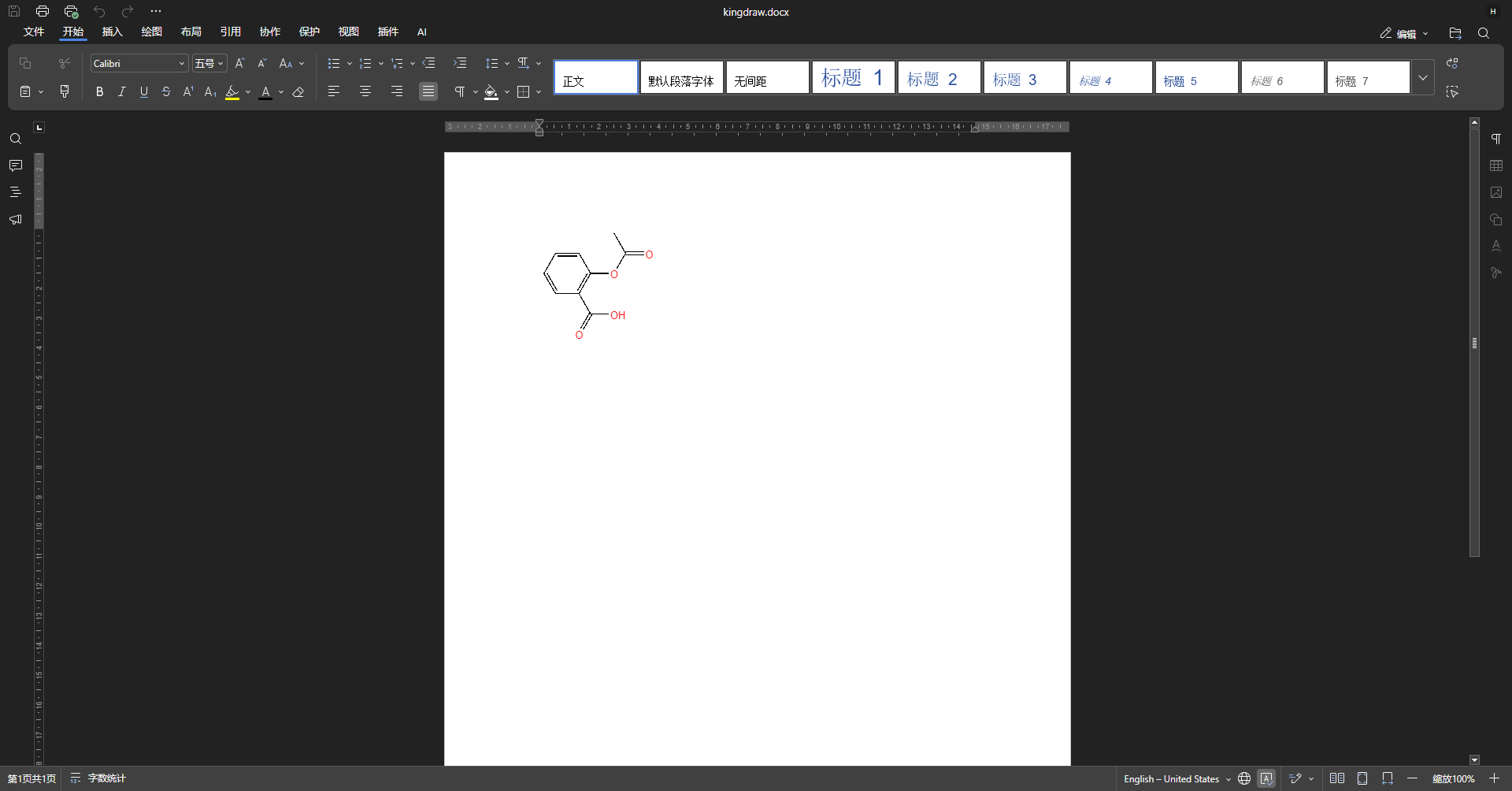
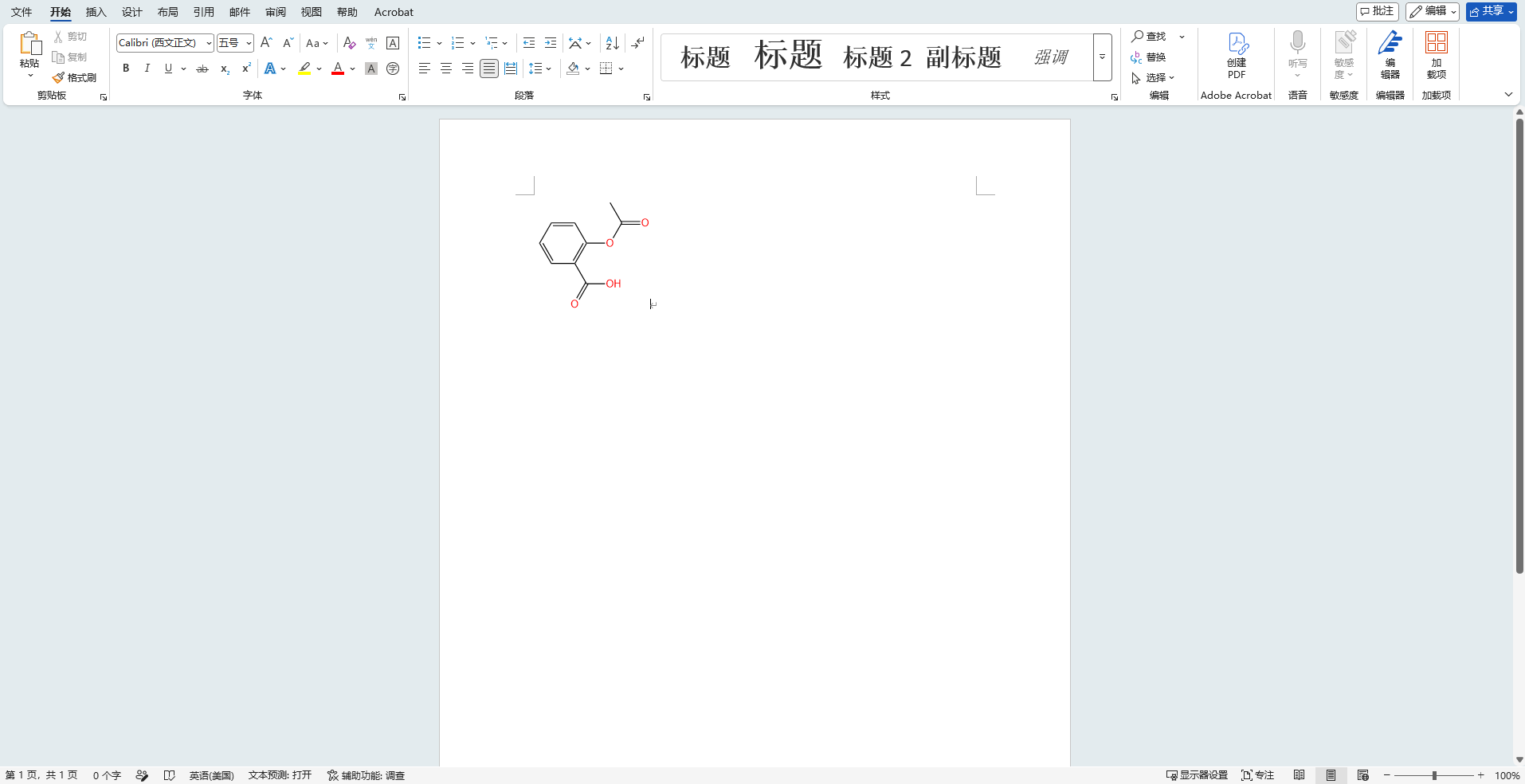
When I open a DOCX file containing a KingDrawXObject object using the web version of OnlyOffice, the chemical structure image appears very clear in Microsoft Office Word, but in the web version of OnlyOffice it displays very blurry with extremely low resolution.
How can I solve this problem? Thank you.
---
### Author:  [@Alexandre](https://community.onlyoffice.com/u/Alexandre)
#### Post date: [1 September 2026 07:22 UTC](https://community.onlyoffice.com/t/i-want-to-display-a-clear-kingdrawxobject-object/20588/2 "2026-09-01T07:22:07Z")
Hello @Cocean1
Could you please share a sample of such file? We’ll check it out.
---
### Author:  [@Cocean1](https://community.onlyoffice.com/u/Cocean1)
#### Post date: [2 September 2026 03:58 UTC](https://community.onlyoffice.com/t/i-want-to-display-a-clear-kingdrawxobject-object/20588/4 "2026-09-02T03:58:31Z")
> [@Cocean1](#):
>
> Thank you for your reply. However, when I tried to reply to you with attachments, the prompt showed “Sorry, new users can not upload attachments.” May I send you an email instead?
Thank you for your reply. However, when I tried to reply to you with attachments, the prompt showed “Sorry, new users can not upload attachments.” May I send you an email instead?
---
### Author:  [@Alexandre](https://community.onlyoffice.com/u/Alexandre)
#### Post date: [2 September 2026 07:47 UTC](https://community.onlyoffice.com/t/i-want-to-display-a-clear-kingdrawxobject-object/20588/5 "2026-09-02T07:47:54Z")
Hello,
Your forum level has been increased. You can use attachments and PMs now.
---
### Author:  [@Cocean1](https://community.onlyoffice.com/u/Cocean1)
#### Post date: [3 September 2026 00:49 UTC](https://community.onlyoffice.com/t/i-want-to-display-a-clear-kingdrawxobject-object/20588/6 "2026-09-03T00:49:13Z")
Thank you. Here are the screenshots showing the display results in OnlyOffice and Office, together with the source DOCX file.
[kingdraw.docx](https://community.onlyoffice.com/uploads/short-url/IrXWGULcYewwEEVg0WMab3wbYn.docx) (16.3 KB)
---
### Author:  [@Alexandre](https://community.onlyoffice.com/u/Alexandre)
#### Post date: [7 September 2026 11:22 UTC](https://community.onlyoffice.com/t/i-want-to-display-a-clear-kingdrawxobject-object/20588/8 "2026-09-07T11:22:31Z")
Thank you @Cocean1
We’re checking the situation.
---
### Author:  [@Cocean1](https://community.onlyoffice.com/u/Cocean1)
#### Post date: [8 September 2026 01:35 UTC](https://community.onlyoffice.com/t/i-want-to-display-a-clear-kingdrawxobject-object/20588/9 "2026-09-08T01:35:13Z")
Thanks, looking forward to your update.
---
### Author:  [@Alexandre](https://community.onlyoffice.com/u/Alexandre)
#### Post date: [8 September 2026 14:56 UTC](https://community.onlyoffice.com/t/i-want-to-display-a-clear-kingdrawxobject-object/20588/11 "2026-09-08T14:56:26Z")
Hello @Cocean1
We have found a bug (internal track number - 83766) in the provided scenario. We have started working on it.
Thank you for valuable data!
---
### Author:  [@Alexandre](https://community.onlyoffice.com/u/Alexandre)
#### Post date: [13 October 2026 10:16 UTC](https://community.onlyoffice.com/t/i-want-to-display-a-clear-kingdrawxobject-object/20588/12 "2026-10-13T10:16:29Z")
Hello,
We have released v.10. This version contains a fix for the described situation.