Great!! It works! Thank you so much!!
1 Like
Great job! I use OnlyOffice almost every day and it’s getting better and better, in Document Server, on Mac and on iPad. It’s reliable and consistent. Go on this way!
1 Like
Excellent! Thank you very much for the heads-up notice to this thread, much appreciated. It took a little while to fix, but I checked it out and it is a great improvement that unlocks my capacity to further use the app from now on. I will update my App Store review to reflect that.
The app looks good so far; I will strongly consider switching now.
PS: it’s nice to be able to open files either from the Files app or from OnlyOffice. I’m only missing perhaps a ”Recently opened files” feature in the app.
1 Like
Sorry, I spoke too fast. It only works with files that are locally stored on my iPad. If I try to choose (via the Files app file picker) a file which is stored on my iCloud Drive, OnlyOffice replies with an error in the like of (translating from my French device): “Error. Unable to open the file because you don’t have the required authorization to display it” - which is assuredly incorrect (I can open it with Collabora through the exact same steps).
Problem still unsolved.
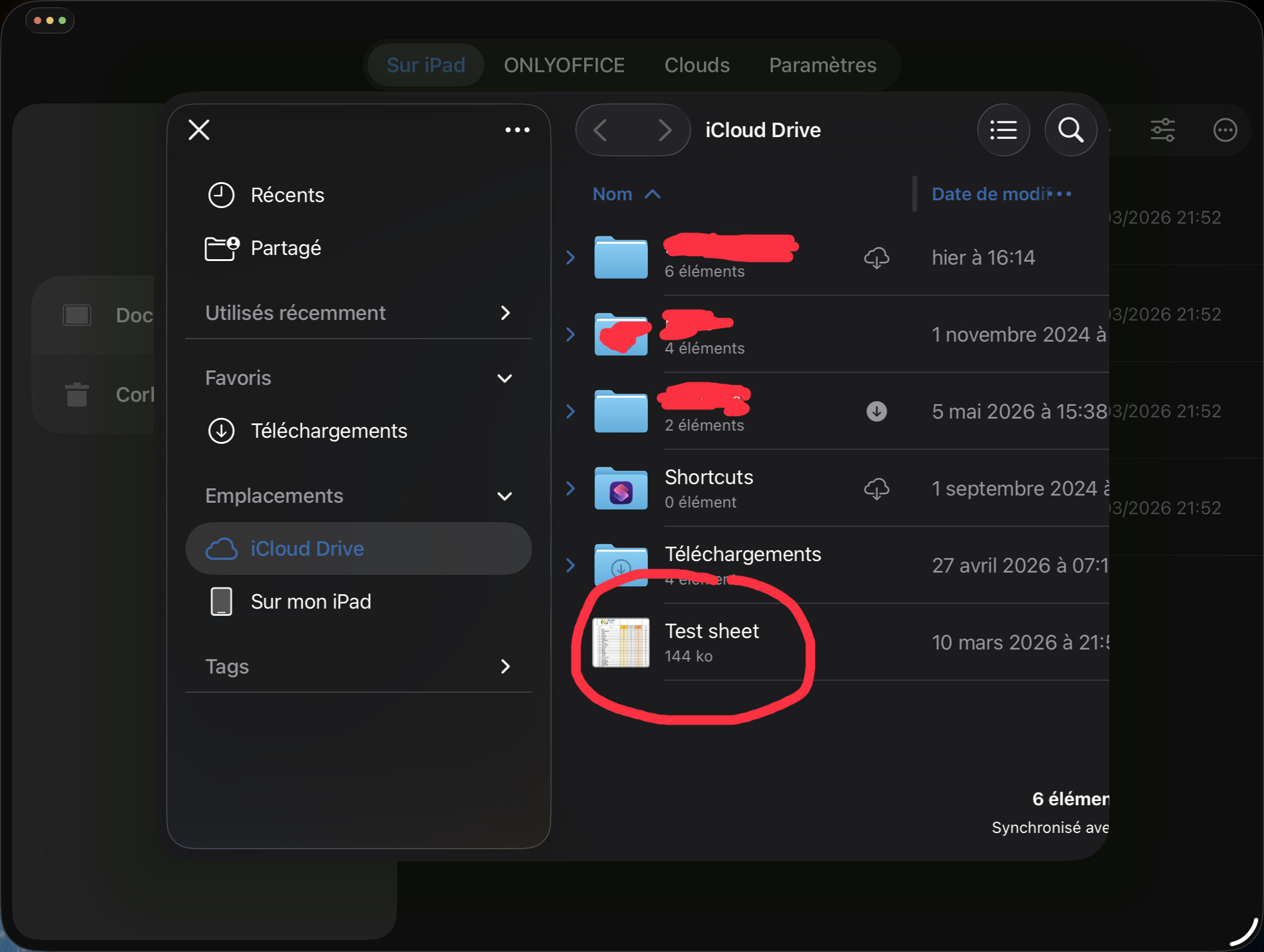
Here are some screenshots that illustrate the problem when I want to open an external spreadsheet which happens to be stored in an iCloud Drive folder.
First step:
Can you attach a screenshot? Also, please confirm the scenario: there is a file in iCloud Drive, you try opening it from Files app with long press > Open with > Documents app, is that correct?
Hi, my forum user was previously prevented to post by the 3-post limit for new users.
Here is the screenshot for the 2nd step, with the error.
My scenario is: in OnlyOffice, choose ‘+’ then choose ‘Open file’ (instead of ‘Import file’), then choose in the external file picker window a file which is located in iCloud Drive (which is the screenshot I previously posted).
But you made me realize there is an alternate scenario, the one you mentioned starting the other way around from the Files app instead, with ‘Open with’. It didn’t occur to me trying that way but I can confirm it works correctly and is a valid scenario.

1 Like
I am glad to know that it works. Feel free to start a new topic on the issue with + button, as it is probably a bug.
I am closing this topic as completed, since it has been added and confirmed any way around. Thank you for the feedback after all.